docs: split local-dev quickstart from cluster deployment guide; add auth demo video #97
There are no files selected for viewing
| Original file line number | Diff line number | Diff line change | ||||||||||||||||||||||||||||||||||||||||||||||||||||
|---|---|---|---|---|---|---|---|---|---|---|---|---|---|---|---|---|---|---|---|---|---|---|---|---|---|---|---|---|---|---|---|---|---|---|---|---|---|---|---|---|---|---|---|---|---|---|---|---|---|---|---|---|---|---|
|
|
@@ -14,27 +14,63 @@ No coding required. Describe your app in plain language, watch it appear in a li | |||||||||||||||||||||||||||||||||||||||||||||||||||||
|
|
||||||||||||||||||||||||||||||||||||||||||||||||||||||
| ## Demo | ||||||||||||||||||||||||||||||||||||||||||||||||||||||
|
|
||||||||||||||||||||||||||||||||||||||||||||||||||||||
| **Build an app, end to end:** | ||||||||||||||||||||||||||||||||||||||||||||||||||||||
|
|
||||||||||||||||||||||||||||||||||||||||||||||||||||||
| [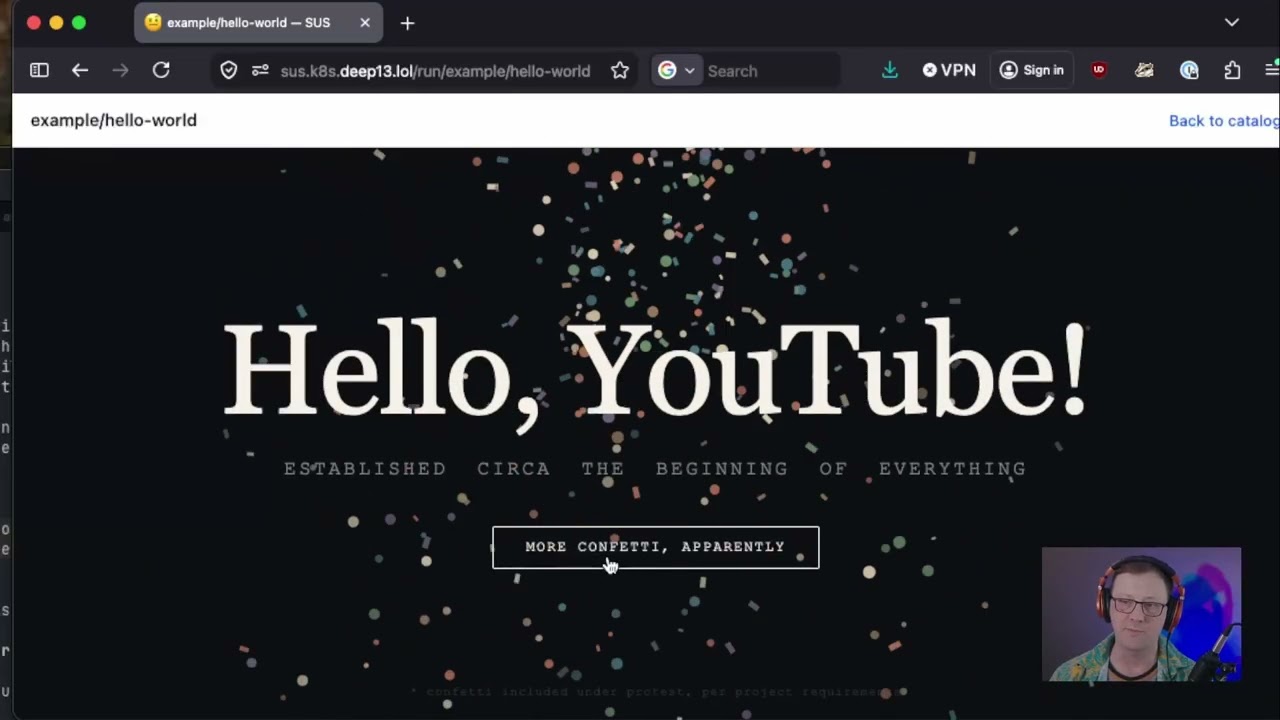](https://youtu.be/LAcHn5zU8Vk) | ||||||||||||||||||||||||||||||||||||||||||||||||||||||
|
|
||||||||||||||||||||||||||||||||||||||||||||||||||||||
| [Watch on YouTube →](https://youtu.be/LAcHn5zU8Vk) | ||||||||||||||||||||||||||||||||||||||||||||||||||||||
|
|
||||||||||||||||||||||||||||||||||||||||||||||||||||||
| **Multi-user logins (Authelia auth):** | ||||||||||||||||||||||||||||||||||||||||||||||||||||||
|
|
||||||||||||||||||||||||||||||||||||||||||||||||||||||
| [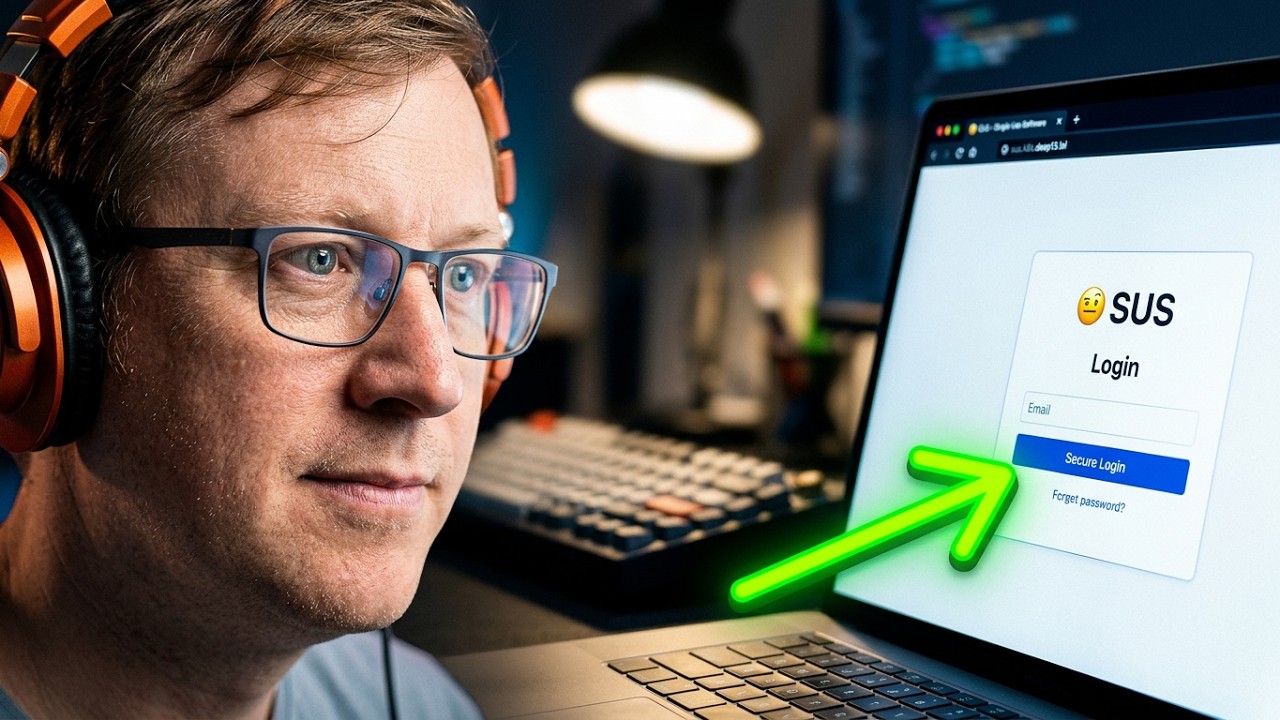](https://youtu.be/SNVmmdy6uvQ) | ||||||||||||||||||||||||||||||||||||||||||||||||||||||
|
|
||||||||||||||||||||||||||||||||||||||||||||||||||||||
| [Watch on YouTube →](https://youtu.be/SNVmmdy6uvQ) | ||||||||||||||||||||||||||||||||||||||||||||||||||||||
|
|
||||||||||||||||||||||||||||||||||||||||||||||||||||||
| --- | ||||||||||||||||||||||||||||||||||||||||||||||||||||||
|
|
||||||||||||||||||||||||||||||||||||||||||||||||||||||
| ## Quick Start (local development) | ||||||||||||||||||||||||||||||||||||||||||||||||||||||
|
|
||||||||||||||||||||||||||||||||||||||||||||||||||||||
| This is the fastest way to see SUS running on your own machine and the setup used to **develop SUS itself** — it spins up a throwaway [k3d](https://k3d.io/) cluster, builds the images from source, and deploys the chart. To run SUS for real, see [Deploying to Kubernetes](#deploying-to-kubernetes). | ||||||||||||||||||||||||||||||||||||||||||||||||||||||
|
|
||||||||||||||||||||||||||||||||||||||||||||||||||||||
| ### Prerequisites | ||||||||||||||||||||||||||||||||||||||||||||||||||||||
|
|
||||||||||||||||||||||||||||||||||||||||||||||||||||||
| - [Docker](https://docs.docker.com/get-docker/) | ||||||||||||||||||||||||||||||||||||||||||||||||||||||
| - [k3d](https://k3d.io/) (`brew install k3d`) | ||||||||||||||||||||||||||||||||||||||||||||||||||||||
| - [kubectl](https://kubernetes.io/docs/tasks/tools/) | ||||||||||||||||||||||||||||||||||||||||||||||||||||||
| - [Helm](https://helm.sh/docs/intro/install/) | ||||||||||||||||||||||||||||||||||||||||||||||||||||||
|
|
||||||||||||||||||||||||||||||||||||||||||||||||||||||
| ### Run it locally | ||||||||||||||||||||||||||||||||||||||||||||||||||||||
|
|
||||||||||||||||||||||||||||||||||||||||||||||||||||||
| ```bash | ||||||||||||||||||||||||||||||||||||||||||||||||||||||
| git clone https://github.com/dev-dull/single-use-software.git | ||||||||||||||||||||||||||||||||||||||||||||||||||||||
| cd single-use-software | ||||||||||||||||||||||||||||||||||||||||||||||||||||||
| make dev # creates a k3d cluster, builds images from source, and deploys the chart | ||||||||||||||||||||||||||||||||||||||||||||||||||||||
| kubectl port-forward -n sus svc/sus-landing 9090:80 | ||||||||||||||||||||||||||||||||||||||||||||||||||||||
| ``` | ||||||||||||||||||||||||||||||||||||||||||||||||||||||
|
|
||||||||||||||||||||||||||||||||||||||||||||||||||||||
| Open [http://localhost:9090](http://localhost:9090). | ||||||||||||||||||||||||||||||||||||||||||||||||||||||
|
|
||||||||||||||||||||||||||||||||||||||||||||||||||||||
| The catalog works out of the box against the public starter pack. To actually **build** an app in a session you'll need an [Anthropic API key](https://console.anthropic.com/settings/keys) (and, to save/publish, a git token) — add them on the `/setup` page. See [Makefile Targets](#makefile-targets) for the individual `build` / `push` / `upgrade` / `teardown` steps. | ||||||||||||||||||||||||||||||||||||||||||||||||||||||
|
|
||||||||||||||||||||||||||||||||||||||||||||||||||||||
| --- | ||||||||||||||||||||||||||||||||||||||||||||||||||||||
|
|
||||||||||||||||||||||||||||||||||||||||||||||||||||||
| ## Deploying to Kubernetes | ||||||||||||||||||||||||||||||||||||||||||||||||||||||
|
|
||||||||||||||||||||||||||||||||||||||||||||||||||||||
| Run SUS for real on an existing cluster — a homelab k3s box or a managed cluster (EKS/GKE/AKS). Pre-built images are pulled from GHCR, so you only need the chart. | ||||||||||||||||||||||||||||||||||||||||||||||||||||||
|
|
||||||||||||||||||||||||||||||||||||||||||||||||||||||
| ### Prerequisites | ||||||||||||||||||||||||||||||||||||||||||||||||||||||
|
|
||||||||||||||||||||||||||||||||||||||||||||||||||||||
| - A running Kubernetes cluster and `kubectl` access to it | ||||||||||||||||||||||||||||||||||||||||||||||||||||||
| - [Helm](https://helm.sh/docs/intro/install/) 3+ | ||||||||||||||||||||||||||||||||||||||||||||||||||||||
| - An **ingress controller with WebSocket support** (nginx, Traefik, …) — the build terminal (ttyd) needs WebSocket upgrades | ||||||||||||||||||||||||||||||||||||||||||||||||||||||
| - A DNS name pointing at your ingress (recommended; **required** if you enable [authentication](#authentication-authelia)) | ||||||||||||||||||||||||||||||||||||||||||||||||||||||
| - An [Anthropic API key](https://console.anthropic.com/settings/keys) | ||||||||||||||||||||||||||||||||||||||||||||||||||||||
|
|
||||||||||||||||||||||||||||||||||||||||||||||||||||||
| ### 1. Fork the starter pack | ||||||||||||||||||||||||||||||||||||||||||||||||||||||
|
|
||||||||||||||||||||||||||||||||||||||||||||||||||||||
| Fork [**sus-starter-pack**](https://github.com/dev-dull/sus-starter-pack) — this is where your apps will be stored. | ||||||||||||||||||||||||||||||||||||||||||||||||||||||
|
|
||||||||||||||||||||||||||||||||||||||||||||||||||||||
| ### 2. Install with Helm | ||||||||||||||||||||||||||||||||||||||||||||||||||||||
|
|
||||||||||||||||||||||||||||||||||||||||||||||||||||||
| ```bash | ||||||||||||||||||||||||||||||||||||||||||||||||||||||
| helm install sus oci://ghcr.io/dev-dull/charts/sus \ | ||||||||||||||||||||||||||||||||||||||||||||||||||||||
|
|
@@ -43,109 +79,39 @@ helm install sus oci://ghcr.io/dev-dull/charts/sus \ | |||||||||||||||||||||||||||||||||||||||||||||||||||||
|
|
||||||||||||||||||||||||||||||||||||||||||||||||||||||
| That's it — pre-built images are pulled automatically from GHCR. | ||||||||||||||||||||||||||||||||||||||||||||||||||||||
|
|
||||||||||||||||||||||||||||||||||||||||||||||||||||||
| <details> | ||||||||||||||||||||||||||||||||||||||||||||||||||||||
| <summary><strong>Building and pushing your own images</strong></summary> | ||||||||||||||||||||||||||||||||||||||||||||||||||||||
|
|
||||||||||||||||||||||||||||||||||||||||||||||||||||||
| To run images you've built yourself (e.g. from a fork), push them to a registry your cluster can pull from and point the chart at them: | ||||||||||||||||||||||||||||||||||||||||||||||||||||||
|
|
||||||||||||||||||||||||||||||||||||||||||||||||||||||
| ```bash | ||||||||||||||||||||||||||||||||||||||||||||||||||||||
| git clone https://github.com/dev-dull/single-use-software.git | ||||||||||||||||||||||||||||||||||||||||||||||||||||||
| cd single-use-software | ||||||||||||||||||||||||||||||||||||||||||||||||||||||
| make build push REGISTRY=your-registry TAG=dev # builds + pushes the landing and build-pod images | ||||||||||||||||||||||||||||||||||||||||||||||||||||||
|
There was a problem hiding this comment. The One leftover of the same class you just fixed for helm upgrade sus oci://ghcr.io/dev-dull/charts/sus \
--set gitRepo.url=... --set ingress.enabled=true ...That switches the chart source back to the OCI chart and drops the four
Suggested change
…with a note added after the closing fence, e.g.:
Non-blocking; the mainline GHCR path is unaffected. |
||||||||||||||||||||||||||||||||||||||||||||||||||||||
| helm install sus ./charts/sus \ | ||||||||||||||||||||||||||||||||||||||||||||||||||||||
| --set landing.image.repository=your-registry/sus-landing \ | ||||||||||||||||||||||||||||||||||||||||||||||||||||||
| --set landing.image.tag=dev \ | ||||||||||||||||||||||||||||||||||||||||||||||||||||||
| --set buildPod.image.repository=your-registry/sus-build \ | ||||||||||||||||||||||||||||||||||||||||||||||||||||||
| --set buildPod.image.tag=dev \ | ||||||||||||||||||||||||||||||||||||||||||||||||||||||
| --set gitRepo.url=https://github.com/you/sus-starter-pack.git | ||||||||||||||||||||||||||||||||||||||||||||||||||||||
| ``` | ||||||||||||||||||||||||||||||||||||||||||||||||||||||
|
Comment on lines
+85
to
97
There was a problem hiding this comment.
REGISTRY := localhost:5050
LANDING_IMAGE := $(REGISTRY)/sus-landing
BUILD_POD_IMAGE := $(REGISTRY)/sus-build
TAG := dev
So following this block as written builds/pushes Because these are
Suggested change
|
||||||||||||||||||||||||||||||||||||||||||||||||||||||
|
|
||||||||||||||||||||||||||||||||||||||||||||||||||||||
| If you go this route, carry the `--set landing.image.*` / `--set buildPod.image.*` flags (and `./charts/sus` in place of the `oci://…` URL) through every later `helm upgrade` — including the [Ingress](#3-expose-it-ingress) and [Authentication](#authentication-authelia) examples below — otherwise the upgrade reverts you to the GHCR images. | ||||||||||||||||||||||||||||||||||||||||||||||||||||||
| </details> | ||||||||||||||||||||||||||||||||||||||||||||||||||||||
|
|
||||||||||||||||||||||||||||||||||||||||||||||||||||||
| ### 3. Expose it (Ingress) | ||||||||||||||||||||||||||||||||||||||||||||||||||||||
|
|
||||||||||||||||||||||||||||||||||||||||||||||||||||||
| SUS includes an optional Ingress resource. Enable it in your Helm values: | ||||||||||||||||||||||||||||||||||||||||||||||||||||||
|
|
||||||||||||||||||||||||||||||||||||||||||||||||||||||
| ```bash | ||||||||||||||||||||||||||||||||||||||||||||||||||||||
| helm upgrade sus oci://ghcr.io/dev-dull/charts/sus \ | ||||||||||||||||||||||||||||||||||||||||||||||||||||||
| --set gitRepo.url=https://github.com/you/sus-starter-pack.git \ | ||||||||||||||||||||||||||||||||||||||||||||||||||||||
| --set ingress.enabled=true \ | ||||||||||||||||||||||||||||||||||||||||||||||||||||||
| --set ingress.host=sus.example.com \ | ||||||||||||||||||||||||||||||||||||||||||||||||||||||
| --set ingress.className=nginx | ||||||||||||||||||||||||||||||||||||||||||||||||||||||
| ``` | ||||||||||||||||||||||||||||||||||||||||||||||||||||||
|
|
||||||||||||||||||||||||||||||||||||||||||||||||||||||
| **WebSocket support is required.** The build terminal uses WebSockets (ttyd), so your ingress controller must allow WebSocket upgrades. For nginx-ingress, add these annotations: | ||||||||||||||||||||||||||||||||||||||||||||||||||||||
|
|
||||||||||||||||||||||||||||||||||||||||||||||||||||||
| ```yaml | ||||||||||||||||||||||||||||||||||||||||||||||||||||||
| ingress: | ||||||||||||||||||||||||||||||||||||||||||||||||||||||
|
|
@@ -163,12 +129,27 @@ ingress: | |||||||||||||||||||||||||||||||||||||||||||||||||||||
|
|
||||||||||||||||||||||||||||||||||||||||||||||||||||||
| For Traefik (common in k3s/k3d), WebSocket support is enabled by default — no extra annotations needed. | ||||||||||||||||||||||||||||||||||||||||||||||||||||||
|
|
||||||||||||||||||||||||||||||||||||||||||||||||||||||
| If you don't run an ingress controller, you can reach SUS another way (e.g. a `LoadBalancer`/`NodePort` service or `kubectl port-forward`), but the build terminal still requires whatever fronts it to pass WebSocket upgrades through. | ||||||||||||||||||||||||||||||||||||||||||||||||||||||
|
|
||||||||||||||||||||||||||||||||||||||||||||||||||||||
| ### 4. Complete setup | ||||||||||||||||||||||||||||||||||||||||||||||||||||||
|
|
||||||||||||||||||||||||||||||||||||||||||||||||||||||
| Open SUS through your ingress (or load balancer) URL, click the **Setup** link, and configure: | ||||||||||||||||||||||||||||||||||||||||||||||||||||||
|
|
||||||||||||||||||||||||||||||||||||||||||||||||||||||
| 1. **App Repository** — your forked `sus-starter-pack` URL | ||||||||||||||||||||||||||||||||||||||||||||||||||||||
| 2. **Anthropic API Key** — from [console.anthropic.com](https://console.anthropic.com/settings/keys) | ||||||||||||||||||||||||||||||||||||||||||||||||||||||
| 3. **Git Access Token** — a [personal access token](https://github.com/settings/tokens/new) with `repo` permissions | ||||||||||||||||||||||||||||||||||||||||||||||||||||||
|
|
||||||||||||||||||||||||||||||||||||||||||||||||||||||
| ### 5. Build your first app | ||||||||||||||||||||||||||||||||||||||||||||||||||||||
|
|
||||||||||||||||||||||||||||||||||||||||||||||||||||||
| Click **+ Create New App**, give it a name and description, and start chatting with Claude. Your app appears in the live preview as you build it. | ||||||||||||||||||||||||||||||||||||||||||||||||||||||
|
|
||||||||||||||||||||||||||||||||||||||||||||||||||||||
| ### Authentication (Authelia) | ||||||||||||||||||||||||||||||||||||||||||||||||||||||
|
|
||||||||||||||||||||||||||||||||||||||||||||||||||||||
| By default SUS runs single-user with no login. Enabling `auth.enabled` deploys a bundled **Authelia** and switches the landing pod to trusted-header identity so build sessions are attributed to the logged-in user: | ||||||||||||||||||||||||||||||||||||||||||||||||||||||
|
|
||||||||||||||||||||||||||||||||||||||||||||||||||||||
| ```bash | ||||||||||||||||||||||||||||||||||||||||||||||||||||||
| helm upgrade sus oci://ghcr.io/dev-dull/charts/sus \ | ||||||||||||||||||||||||||||||||||||||||||||||||||||||
| --set gitRepo.url=https://github.com/you/sus-starter-pack.git \ | ||||||||||||||||||||||||||||||||||||||||||||||||||||||
| --set ingress.enabled=true \ | ||||||||||||||||||||||||||||||||||||||||||||||||||||||
| --set ingress.host=sus.example.com \ | ||||||||||||||||||||||||||||||||||||||||||||||||||||||
| --set auth.enabled=true \ | ||||||||||||||||||||||||||||||||||||||||||||||||||||||
|
|
@@ -238,8 +219,58 @@ Prefer a different provider (tinyauth, oauth2-proxy, Authentik)? The landing app | |||||||||||||||||||||||||||||||||||||||||||||||||||||
|
|
||||||||||||||||||||||||||||||||||||||||||||||||||||||
| --- | ||||||||||||||||||||||||||||||||||||||||||||||||||||||
|
|
||||||||||||||||||||||||||||||||||||||||||||||||||||||
| ## How It Works | ||||||||||||||||||||||||||||||||||||||||||||||||||||||
|
|
||||||||||||||||||||||||||||||||||||||||||||||||||||||
| ``` | ||||||||||||||||||||||||||||||||||||||||||||||||||||||
| Browser | ||||||||||||||||||||||||||||||||||||||||||||||||||||||
| | | ||||||||||||||||||||||||||||||||||||||||||||||||||||||
| v | ||||||||||||||||||||||||||||||||||||||||||||||||||||||
| Landing Page Pod (FastAPI, Kubernetes) | ||||||||||||||||||||||||||||||||||||||||||||||||||||||
| |-- Catalog: reads apps from your git repo | ||||||||||||||||||||||||||||||||||||||||||||||||||||||
| |-- Build mode: spins up a build pod with Claude Code + ttyd | ||||||||||||||||||||||||||||||||||||||||||||||||||||||
| |-- Run mode: proxies to build pods or serves static apps from the repo | ||||||||||||||||||||||||||||||||||||||||||||||||||||||
| |-- Setup: API key, git token, repo URL stored as K8s secrets/configmaps | ||||||||||||||||||||||||||||||||||||||||||||||||||||||
| | | ||||||||||||||||||||||||||||||||||||||||||||||||||||||
| v | ||||||||||||||||||||||||||||||||||||||||||||||||||||||
| Build Pods (per-session, on demand) | ||||||||||||||||||||||||||||||||||||||||||||||||||||||
| |-- Claude Code CLI via ttyd (browser terminal) | ||||||||||||||||||||||||||||||||||||||||||||||||||||||
| |-- Auto-runner: detects app files, serves on port 3000 | ||||||||||||||||||||||||||||||||||||||||||||||||||||||
| |-- Git: commits to branch, pushes on save, merges to main on publish | ||||||||||||||||||||||||||||||||||||||||||||||||||||||
| | | ||||||||||||||||||||||||||||||||||||||||||||||||||||||
| v | ||||||||||||||||||||||||||||||||||||||||||||||||||||||
| App Repository (your fork of sus-starter-pack) | ||||||||||||||||||||||||||||||||||||||||||||||||||||||
| |-- {category}/{app-slug}/sus.json + app files | ||||||||||||||||||||||||||||||||||||||||||||||||||||||
| |-- Published apps are merged to main | ||||||||||||||||||||||||||||||||||||||||||||||||||||||
| |-- Saved work-in-progress lives on branches | ||||||||||||||||||||||||||||||||||||||||||||||||||||||
| ``` | ||||||||||||||||||||||||||||||||||||||||||||||||||||||
|
|
||||||||||||||||||||||||||||||||||||||||||||||||||||||
| --- | ||||||||||||||||||||||||||||||||||||||||||||||||||||||
|
|
||||||||||||||||||||||||||||||||||||||||||||||||||||||
| ## Configuration | ||||||||||||||||||||||||||||||||||||||||||||||||||||||
|
|
||||||||||||||||||||||||||||||||||||||||||||||||||||||
| SUS can be configured two ways: | ||||||||||||||||||||||||||||||||||||||||||||||||||||||
|
|
||||||||||||||||||||||||||||||||||||||||||||||||||||||
| | Setting | Setup Page | Helm Value | | ||||||||||||||||||||||||||||||||||||||||||||||||||||||
| |---------|-----------|------------| | ||||||||||||||||||||||||||||||||||||||||||||||||||||||
| | App repo URL | `/setup` | `--set gitRepo.url=...` | | ||||||||||||||||||||||||||||||||||||||||||||||||||||||
| | Anthropic API key | `/setup` | K8s secret `sus-anthropic-api-key` | | ||||||||||||||||||||||||||||||||||||||||||||||||||||||
| | Git access token | `/setup` | K8s secret `sus-git-token` | | ||||||||||||||||||||||||||||||||||||||||||||||||||||||
| | Claude model for build sessions | — | `--set buildPod.claudeModel=opus` (default; aliases like `opus`/`sonnet`/`haiku` track the latest model, a full ID pins one — see note below) | | ||||||||||||||||||||||||||||||||||||||||||||||||||||||
| | Ingress | — | `ingress.*` — see [Expose it (Ingress)](#3-expose-it-ingress) | | ||||||||||||||||||||||||||||||||||||||||||||||||||||||
| | Authentication | — | `auth.*` — see [Authentication (Authelia)](#authentication-authelia) | | ||||||||||||||||||||||||||||||||||||||||||||||||||||||
| | Build pod resources | — | `buildPod.resources` in `values.yaml` | | ||||||||||||||||||||||||||||||||||||||||||||||||||||||
| | Landing page resources | — | `landing.resources` in `values.yaml` | | ||||||||||||||||||||||||||||||||||||||||||||||||||||||
|
|
||||||||||||||||||||||||||||||||||||||||||||||||||||||
| See [`charts/sus/values.yaml`](charts/sus/values.yaml) for all Helm values. | ||||||||||||||||||||||||||||||||||||||||||||||||||||||
|
|
||||||||||||||||||||||||||||||||||||||||||||||||||||||
| **Build-session model:** the default is `opus` (Claude Opus 5) — Anthropic's recommended model for agentic coding, so the best build quality. It costs roughly **2.5× more per token** than `sonnet` and responds a bit slower. If you'd rather trade some build quality for lower cost and faster responses, set `--set buildPod.claudeModel=sonnet` (Claude Sonnet 5). Aliases track the latest model in each family; pass a full ID like `claude-opus-5` to pin a version. | ||||||||||||||||||||||||||||||||||||||||||||||||||||||
|
|
||||||||||||||||||||||||||||||||||||||||||||||||||||||
| --- | ||||||||||||||||||||||||||||||||||||||||||||||||||||||
|
|
||||||||||||||||||||||||||||||||||||||||||||||||||||||
| ## Makefile Targets | ||||||||||||||||||||||||||||||||||||||||||||||||||||||
|
|
||||||||||||||||||||||||||||||||||||||||||||||||||||||
| These target the local [k3d](https://k3d.io/) development cluster (see [Quick Start](#quick-start-local-development)): | ||||||||||||||||||||||||||||||||||||||||||||||||||||||
|
|
||||||||||||||||||||||||||||||||||||||||||||||||||||||
| ``` | ||||||||||||||||||||||||||||||||||||||||||||||||||||||
| make dev # Full setup: cluster + build + deploy | ||||||||||||||||||||||||||||||||||||||||||||||||||||||
| make build # Build all container images | ||||||||||||||||||||||||||||||||||||||||||||||||||||||
|
|
||||||||||||||||||||||||||||||||||||||||||||||||||||||

There was a problem hiding this comment.
Choose a reason for hiding this comment
The reason will be displayed to describe this comment to others. Learn more.
Minor:
make devfinishes by printing its own hint using port 8080:Both work, but now that this is the headline local-dev path, a user copying the README and then reading the terminal output gets two different ports. Worth making them agree (either port is fine — the Makefile echo is the easier one to change if 9090 is deliberate to avoid clashing with the ttyd port).