Build apps by describing what you want. SUS is a self-hosted platform that lets anyone — regardless of technical background — build, publish, and run lightweight web applications using Claude Code in the browser.
No coding required. Describe your app in plain language, watch it appear in a live preview, click Publish, and share it.
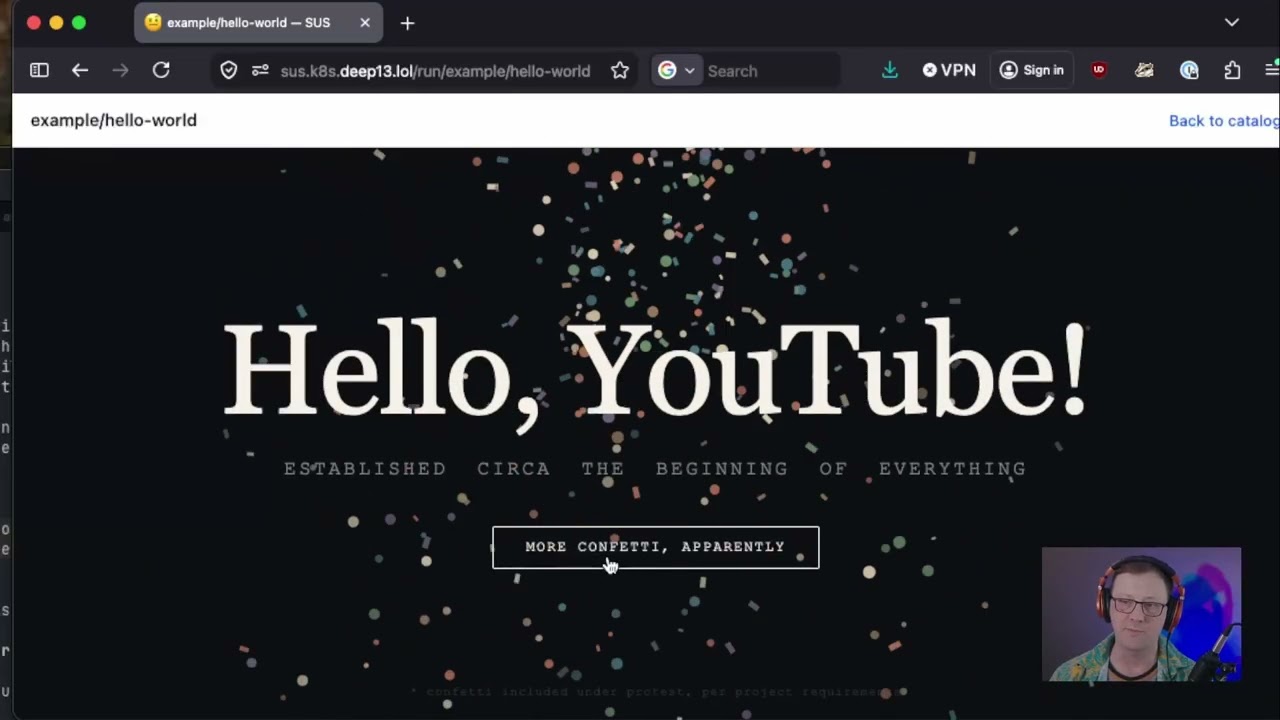
Build an app, end to end:
Multi-user logins (Authelia auth):

This is the fastest way to see SUS running on your own machine and the setup used to develop SUS itself — it spins up a throwaway k3d cluster, builds the images from source, and deploys the chart. To run SUS for real, see Deploying to Kubernetes.
git clone https://github.com/dev-dull/single-use-software.git
cd single-use-software
make dev    # creates a k3d cluster, builds images from source, and deploys the chart
kubectl port-forward -n sus svc/sus-landing 9090:80
Open http://localhost:9090.
The catalog works out of the box against the public starter pack. To actually build an app in a session you'll need an Anthropic API key (and, to save/publish, a git token) — add them on the /setup page. See Makefile Targets for the individual build / push / upgrade / teardown steps.
Run SUS for real on an existing cluster — a homelab k3s box or a managed cluster (EKS/GKE/AKS). Pre-built images are pulled from GHCR, so you only need the chart.
- A running Kubernetes cluster and
kubectlaccess to it - Helm 3+
- An ingress controller with WebSocket support (nginx, Traefik, …) — the build terminal (ttyd) needs WebSocket upgrades
- A DNS name pointing at your ingress (recommended; required if you enable authentication)
- An Anthropic API key
Fork sus-starter-pack — this is where your apps will be stored.
helm install sus oci://ghcr.io/dev-dull/charts/sus \
  --set gitRepo.url=https://github.com/you/sus-starter-pack.git
That's it — pre-built images are pulled automatically from GHCR.
Building and pushing your own images
To run images you've built yourself (e.g. from a fork), push them to a registry your cluster can pull from and point the chart at them:
git clone https://github.com/dev-dull/single-use-software.git
cd single-use-software
make build push REGISTRY=your-registry TAG=dev    # builds + pushes the landing and build-pod images
helm install sus ./charts/sus \
  --set landing.image.repository=your-registry/sus-landing \
  --set landing.image.tag=dev \
  --set buildPod.image.repository=your-registry/sus-build \
  --set buildPod.image.tag=dev \
  --set gitRepo.url=https://github.com/you/sus-starter-pack.git
If you go this route, carry the --set landing.image.* / --set buildPod.image.* flags (and ./charts/sus in place of the oci://… URL) through every later helm upgrade — including the Ingress and Authentication examples below — otherwise the upgrade reverts you to the GHCR images.
SUS includes an optional Ingress resource. Enable it in your Helm values:
helm upgrade sus oci://ghcr.io/dev-dull/charts/sus \
  --set gitRepo.url=https://github.com/you/sus-starter-pack.git \
  --set ingress.enabled=true \
  --set ingress.host=sus.example.com \
  --set ingress.className=nginx
WebSocket support is required. The build terminal uses WebSockets (ttyd), so your ingress controller must allow WebSocket upgrades. For nginx-ingress, add these annotations:
ingress:
  enabled: true
  host: sus.example.com
  className: nginx
  annotations:
    nginx.ingress.kubernetes.io/proxy-read-timeout: "3600"
    nginx.ingress.kubernetes.io/proxy-send-timeout: "3600"
    nginx.ingress.kubernetes.io/proxy-http-version: "1.1"
    nginx.ingress.kubernetes.io/configuration-snippet: |
      proxy_set_header Upgrade $http_upgrade;
      proxy_set_header Connection "upgrade";
For Traefik (common in k3s/k3d), WebSocket support is enabled by default — no extra annotations needed.
If you don't run an ingress controller, you can reach SUS another way (e.g. a LoadBalancer/NodePort service or kubectl port-forward), but the build terminal still requires whatever fronts it to pass WebSocket upgrades through.
Open SUS through your ingress (or load balancer) URL, click the Setup link, and configure:
- App Repository — your forked
sus-starter-packURL - Anthropic API Key — from console.anthropic.com
- Git Access Token — a personal access token with
repopermissions
Click + Create New App, give it a name and description, and start chatting with Claude. Your app appears in the live preview as you build it.
By default SUS runs single-user with no login. Enabling auth.enabled deploys a bundled Authelia and switches the landing pod to trusted-header identity so build sessions are attributed to the logged-in user:
helm upgrade sus oci://ghcr.io/dev-dull/charts/sus \
  --set gitRepo.url=https://github.com/you/sus-starter-pack.git \
  --set ingress.enabled=true \
  --set ingress.host=sus.example.com \
  --set auth.enabled=true \
  --set auth.domain=example.com \
  --set auth.ingressNamespace=<your ingress controller namespace> \
  --set 'auth.trustedProxies={10.42.0.0/16}'
The chart does not wire your ingress controller. Forward-auth has no portable Kubernetes API — each controller does it differently — so SUS stays ingress-agnostic and leaves that one step to you. Until you add a forward-auth rule, the landing app sees no identity and treats every request as an anonymous guest.
Required before exposing SUS:
- DNS —
sus.example.com(the app) andauth.example.com(the login portal) must both resolve to your ingress.ingress.hostmust beauth.domainor a subdomain of it so one session cookie covers both. auth.trustedProxies— the source IPs the landing app accepts identity headers from. Narrower is stronger: pinning your ingress controller's actual pod IP(s) means nothing else in the cluster can assert an identity. The whole pod CIDR (k3s/k3d:10.42.0.0/16) is the pragmatic fallback when controller IPs aren't stable, but it lets any in-cluster pod act as a "trusted proxy". An empty list trusts any source and is for testing only.- Secrets & users — override the placeholders. Provide your own secret via
--set auth.authelia.secrets.existingSecret=<name>(keyssession,storage-encryption,jwt), and replace the sampleauth.authelia.users(generate an argon2id hash withdocker run authelia/authelia:4.38 authelia crypto hash generate argon2 --password '<pw>').
Users are managed in Authelia, not SUS — anyone Authelia authenticates automatically becomes a SUS user (the Remote-User value is the SUS user ID; build sessions, pods, and git branches are attributed to it). With the bundled file backend there is no self-service signup; the operator adds users:
# 1. Generate an argon2id hash
docker run --rm authelia/authelia:4.38 authelia crypto hash generate argon2 --password 'their-password'

# 2. Add the user under auth.authelia.users in your values, then:
helm upgrade sus ./charts/sus -f your-values.yaml
The chart rolls Authelia automatically when the user list changes. For larger teams, manage the users file yourself via auth.authelia.secrets.existingSecret, or point Authelia at an LDAP backend / use a full IdP (see alternatives below).
The Authelia service is reachable in-cluster at http://sus-authelia.sus.svc.cluster.local:9091. Point your controller's forward-auth at it and forward the Remote-User, Remote-Groups, Remote-Name, and Remote-Email response headers to the SUS UI.
Traefik — create a Middleware and attach it to the SUS ingress route:
apiVersion: traefik.io/v1alpha1
kind: Middleware
metadata:
  name: sus-forwardauth
  namespace: sus
spec:
  forwardAuth:
    address: http://sus-authelia.sus.svc.cluster.local:9091/api/authz/forward-auth
    trustForwardHeader: true
    authResponseHeaders:
      - Remote-User
      - Remote-Groups
      - Remote-Name
      - Remote-Email
Then add to the SUS ingress: --set ingress.annotations.traefik\.ingress\.kubernetes\.io/router\.middlewares=sus-sus-forwardauth@kubernetescrd.
nginx-ingress — add these annotations to the SUS ingress:
ingress:
  annotations:
    nginx.ingress.kubernetes.io/auth-url: "http://sus-authelia.sus.svc.cluster.local:9091/api/authz/auth-request"
    nginx.ingress.kubernetes.io/auth-signin: "https://auth.example.com?rm=$request_method"
    nginx.ingress.kubernetes.io/auth-response-headers: "Remote-User,Remote-Groups,Remote-Name,Remote-Email"
Prefer a different provider (tinyauth, oauth2-proxy, Authentik)? The landing app consumes standard Remote-*/X-Forwarded-* headers, so any forward-auth proxy works — set auth.enabled=false, run your own proxy, and set auth.trustedProxies (via a proxy-header config) to its pod CIDR. See SUS - Platform Design.md for the trusted-header hardening model.
Browser
  |
  v
Landing Page Pod (FastAPI, Kubernetes)
  |-- Catalog: reads apps from your git repo
  |-- Build mode: spins up a build pod with Claude Code + ttyd
  |-- Run mode: proxies to build pods or serves static apps from the repo
  |-- Setup: API key, git token, repo URL stored as K8s secrets/configmaps
  |
  v
Build Pods (per-session, on demand)
  |-- Claude Code CLI via ttyd (browser terminal)
  |-- Auto-runner: detects app files, serves on port 3000
  |-- Git: commits to branch, pushes on save, merges to main on publish
  |
  v
App Repository (your fork of sus-starter-pack)
  |-- {category}/{app-slug}/sus.json + app files
  |-- Published apps are merged to main
  |-- Saved work-in-progress lives on branches
SUS can be configured two ways:
| Setting | Setup Page | Helm Value |
|---|---|---|
| App repo URL | /setup |
--set gitRepo.url=... |
| Anthropic API key | /setup |
K8s secret sus-anthropic-api-key |
| Git access token | /setup |
K8s secret sus-git-token |
| Claude model for build sessions | — | --set buildPod.claudeModel=opus (default; aliases like opus/sonnet/haiku track the latest model, a full ID pins one — see note below) |
| Ingress | — | ingress.* — see Expose it (Ingress) |
| Authentication | — | auth.* — see Authentication (Authelia) |
| Build pod resources | — | buildPod.resources in values.yaml |
| Landing page resources | — | landing.resources in values.yaml |
See charts/sus/values.yaml for all Helm values.
Build-session model: the default is opus (Claude Opus 5) — Anthropic's recommended model for agentic coding, so the best build quality. It costs roughly 2.5× more per token than sonnet and responds a bit slower. If you'd rather trade some build quality for lower cost and faster responses, set --set buildPod.claudeModel=sonnet (Claude Sonnet 5). Aliases track the latest model in each family; pass a full ID like claude-opus-5 to pin a version.
These target the local k3d development cluster (see Quick Start):
make dev          # Full setup: cluster + build + deploy
make build        # Build all container images
make push         # Push images to local registry
make deploy       # Install Helm chart
make upgrade      # Upgrade Helm release
make teardown     # Delete the cluster
make status       # Show pods and services
make logs         # Tail landing page logs
make redeploy     # Rebuild + upgrade + restart
/setup— Configure API key, git token, and repo URL/analytics— Usage dashboard (page views, build sessions)/skills— Manage guidance skills for Claude/debug/build-chain/{team}/{app}— Diagnostic endpoint that tests the full build pipeline/debug/env— Show configured environment variables/api/secrets— Manage K8s secrets (used by apps via the SUS Platform API)
- Starter Pack — fork this for your apps
- Design Document — detailed architecture and design decisions
- Issues — bugs, features, and discussion