
Runs the Devin CLI in a native VS Code panel. Chat with Devin in a side panel instead of a terminal, and ask it to build a feature, fix a bug, refactor, or explain code. Replies stream in, tool calls run once you approve them, and every file edit is shown as a diff you can keep or undo. Each chat is a real Devin CLI session, saved per workspace, so you can reopen it later.
The interface follows GitHub Copilot Chat, so it is familiar if you already use Copilot.
Preview. Early release, under active development. Expect rough edges and frequent updates. Feedback and issues are welcome.
- Install this extension: search Devin for VS Code in the Extensions view,
or run
code --install-extension shayanline.devin-vscode. - Install the Devin CLI and sign in with
devin auth login.
The extension runs the Devin CLI for you. On first run it finds devin on your
PATH and helps you finish setup. It needs VS Code 1.93 or newer.
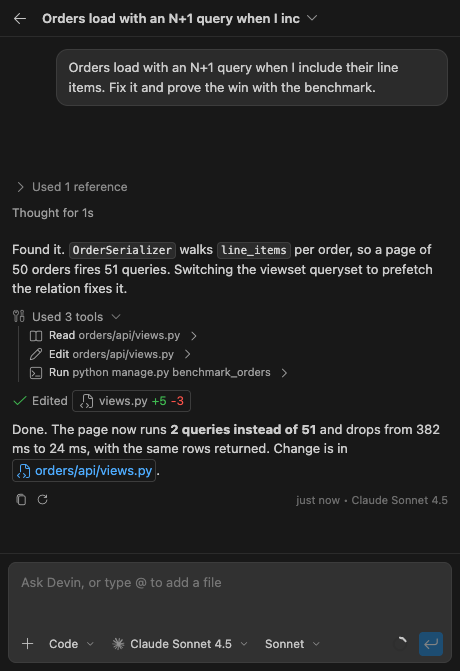
- Streaming replies, with Devin's reasoning shown as it works.
- Work Devin hands to a subagent shown as its own collapsible block: the brief it was given, what it did and said, and the report it came back with. Move a running one between the foreground and the background from its header.
- Commands run in a real VS Code terminal you can open, watch and take over, streamed into the chat as they go. Leave a long one running and Devin moves on.
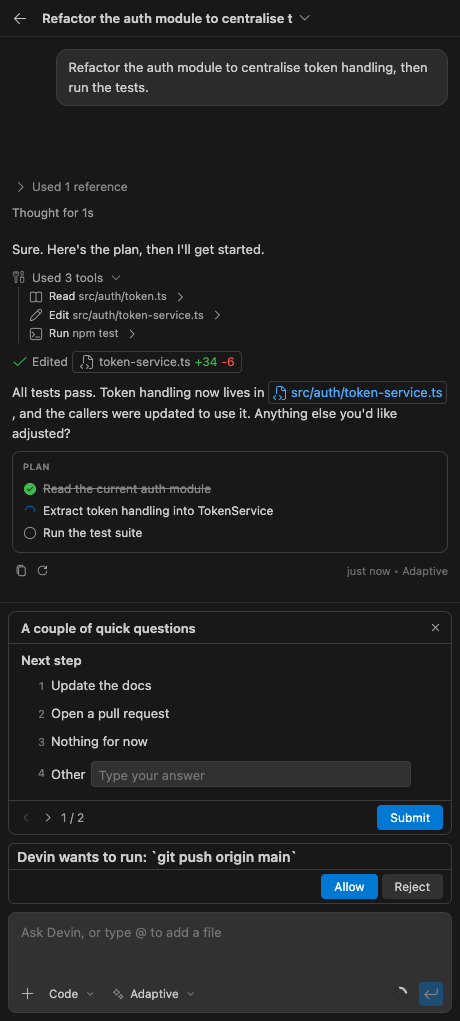
- Every file edit shown as a native VS Code diff, kept or undone per file: an edit row opens what that edit did, the changed files tray the whole change.
- Approve or decline the tools Devin runs, and answer its questions, inline in the chat.
- Open a chat in the sidebar, the editor area, a new window, or a terminal, from
the
+split button. - Move a chat between the side panel and an editor tab, live agent and all: an editor tab is that one chat, named after it, and renamed from its tab menu.
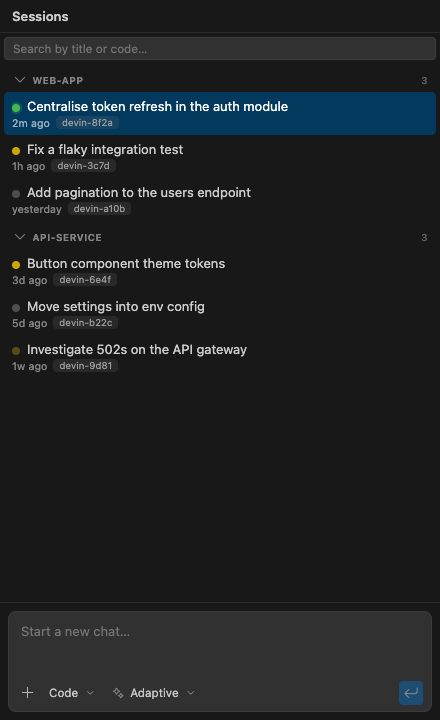
- Sessions saved per workspace that survive restarts, listed in a built in panel
grouped by workspace, with search and a status filter.
Cmd+K Cmd+Dopens the list, andCmd+1toCmd+9open your nine most recent chats. - The Devin model and mode (code, ask, plan, or bypass) picked from the composer.
- The Devin CLI's own settings edited natively in a built in editor, no config
files by hand: instructions, skills, plugins, MCP servers, hooks, permissions,
and more, per machine or per workspace folder, with search. It writes the CLI's
real config, so the
devincommand in your terminal picks up the same changes. /for Devin commands and skills,@to attach files, and image paste.- Files, folders and images dragged onto the chat attach as context. Hold Shift while dragging from the Explorer or an editor tab, since VS Code otherwise keeps that drag for itself.
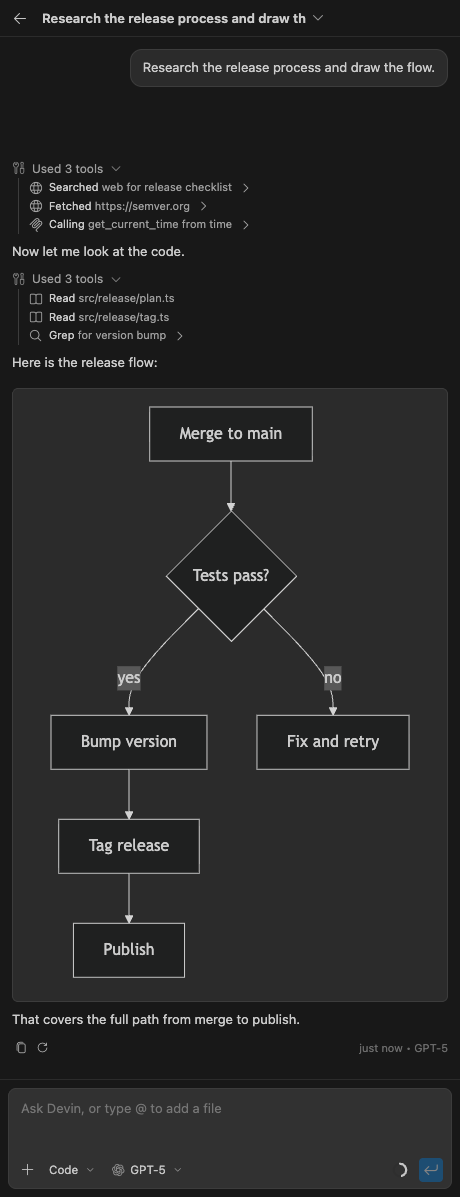
- Markdown replies with syntax highlighting and inline Mermaid diagrams.
 |
 |
 |
 |
Issues and pull requests are welcome. See CONTRIBUTING.md.
AGPL-3.0-or-later, copyright Shayan Khaksar. Use it, study it, change it and share it, at work or anywhere else. If you distribute a modified version, or run one as a network service, it stays under the same license with its source available.
Commercial licenses are available if those terms do not suit you. Open an issue to ask.