A clean, accessible Hugo theme for tech blogs — readable typography, responsive layout, and sensible defaults for developer-focused writing.
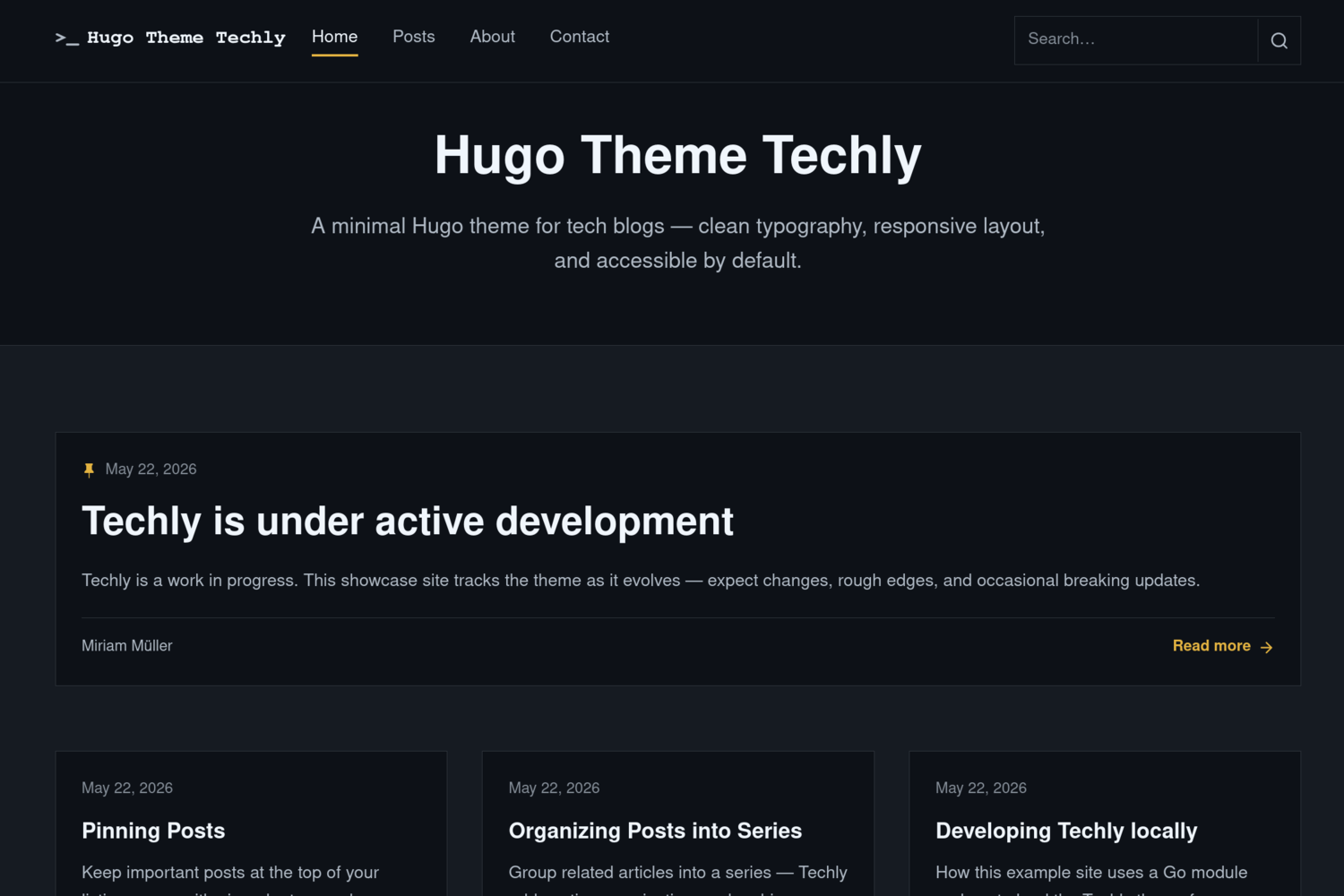
- Responsive layout with a featured post on the home page and a grid for the rest
- Paginated home page, tag archives, and series listings
- Automatic light/dark mode via
prefers-color-scheme - Client-side search with live suggestions (JSON index)
- Table of contents on posts and optional TOC on pages
- Post series with in-article notice, navigation, and archive pages
- Pin important posts to the top of section listings
- Related posts with optional “More in …” tag links
- Footer social links via
menus.socialand SVG icons - Breadcrumbs, tags, and optional cover images
- Optional home-page call-to-action block (
params.newsletter) - Optional site overrides in
assets/css/custom.css - Accessible markup: skip links, landmarks, focus styles, semantic headings
- Hugo 0.146.0 or later (Extended recommended)
- Go (for Hugo Modules)
Techly v2 is distributed as a Hugo Module. From your site root:
hugo mod init github.com/your-user/your-site
hugo mod get github.com/m1rm/techly/v2@v2.0.1
Add the theme to your site's hugo.toml:
[module]
  [[module.imports]]
    path = "github.com/m1rm/techly/v2"
    version = "v2.0.1"
Then fetch modules and start the development server:
hugo mod get
hugo server
Note: Use v2.0.1 or later for module installs. The v2.0.0 tag shipped with an incorrect
go.modmodule path; v2.0.1 fixes that.
See the demo site repository for a full working example.
- Change the module path to
github.com/m1rm/techly/v2and pinversion = "v2.0.1"(or newer). - Run
hugo mod get github.com/m1rm/techly/v2@v2.0.1. - Move your home-page subtitle into
[params.banner](see below) — the navbar still usestitle, while the home hero usesparams.banner.
Hugo does not merge every setting from theme modules into your site. Add the following to your site's hugo.toml so search and series work correctly:
[taxonomies]
  tag = "tags"
  series = "series"

[outputs]
  home = ["HTML", "RSS", "JSON"]
If your site already defines [taxonomies], include every taxonomy you still need — Hugo replaces the list rather than merging entries from the theme.
| Parameter | Default | Description |
|---|---|---|
params.mainSections |
["posts"] |
Sections used for the home page and post listings |
params.banner.heading |
— | Home page hero title (navbar uses title) |
params.banner.subheading |
— | Home page hero subtitle; falls back to params.description |
params.description |
— | Site description (meta, footer fallback) |
params.showPostImages |
true |
Show cover images on listing cards |
params.author.name |
— | Default post author name |
params.author.avatar |
— | Default author avatar URL |
params.footer.tagline |
— | Footer tagline |
params.footer.copyright |
— | Footer copyright name |
params.footer.since |
— | Start year; range since - current only when since differs from the current year |
params.footer.showSocial |
true |
Show menus.social in the footer |
params.related.enabled |
true |
Show related posts on single pages |
params.related.limit |
3 |
Maximum related posts |
params.related.heading |
"More articles" |
Related section heading |
params.related.moreLink |
"best" |
Tag CTA strategy: best, first, all, or none |
params.related.moreLabel |
"More in %s" |
Label for the tag CTA (%s = tag name) |
params.newsletter |
— | Optional home-page CTA (see below) |
params.searchPagePath |
— | Override search page path (default: /search or /page/search) |
Example:
[params]
  description = "Notes on software, systems, and the web."
  mainSections = ["posts"]

  [params.banner]
    heading = "My Blog"
    subheading = "Notes on software, systems, and the web."

  [params.author]
    name = "Your Name"

  [params.footer]
    since = 2020
    tagline = "Built with Hugo and Techly."
    copyright = "Your Name"

  [params.related]
    limit = 3
moreLink = "best"Define navigation in hugo.toml:
[[menus.main]]
  name = "Home"
  pageRef = "/"
  weight = 10

[[menus.main]]
  name = "Posts"
  pageRef = "/posts/"
weight = 20Add a social menu and place SVG icons in your site's assets/icons/ (for example assets/icons/github.svg). Each entry references the icon base name:
[[menus.social]]
  name = "GitHub"
  url = "https://github.com/your-user"
  weight = 10
  [menus.social.params]
    icon = "github"
Set params.footer.showSocial = false to hide the block.
The CTA appears on the home page only when configured:
[params.newsletter]
  title = "Stay up to date"
  text = "Get notified when new posts are published."
  url = "https://example.com/subscribe"
  label = "Subscribe"
external = trueAdd assets/css/custom.css in your site. Techly includes it after the theme stylesheets (processed and fingerprinted in production builds).
Create a new post:
hugo new posts/my-post.mdUseful front matter fields:
title = "My Post"
description = "A short summary for cards and meta tags."
tags = ["hugo", "go"]
series = ["My Series"]
featuredImage = "cover.jpg"
toc = true

[params]
  pinned = true
  pinnedIndicator = true
author = "Guest Author"Pinned posts sort to the top of section listing pages (for example /posts/). Among pinned posts, newest still comes first.
[params]
  pinned = true
To show a pin icon on listing cards:
[params]
  pinned = true
pinnedIndicator = true- Enable the
seriestaxonomy in your site'shugo.toml(see above). - Tag posts with a series name:
series = ["Building in Public"]Techly adds a notice at the top of each post, a navigation box after the article, and archive pages at /series/ and /series/<slug>/.
Optional series descriptions:
hugo new series/building-in-public/_index.mdtoc = trueSearch uses the JSON home output. Create a content page at content/search.md:
hugo new search.mdSet layout = "search" in front matter if needed, or use the _default/search.html layout provided by the theme. The navbar includes an inline search field with suggestions.
.
├── archetypes/          # Default front matter for new content
├── assets/              # CSS, JavaScript, icons
├── images/              # Theme screenshot and thumbnail (for themes.gohugo.io)
├── layouts/             # Templates and partials
├── hugo.toml            # Default theme configuration
└── theme.toml           # Theme metadata
To work on the theme locally with the demo site:
// hugo-techly/go.mod
replace github.com/m1rm/techly/v2 => ../techly

require github.com/m1rm/techly/v2 v2.0.1
# hugo-techly/hugo.toml
[module]
[[module.imports]]
path = "github.com/m1rm/techly/v2"
version = "v2.0.1"Remove the replace directive before publishing or in CI.
Techly is licensed under the GNU General Public License v3.0.
Miriam Müller — miriam-mueller.com