Mitigating the Software Tower of Babel to a great degree
Download... | Video

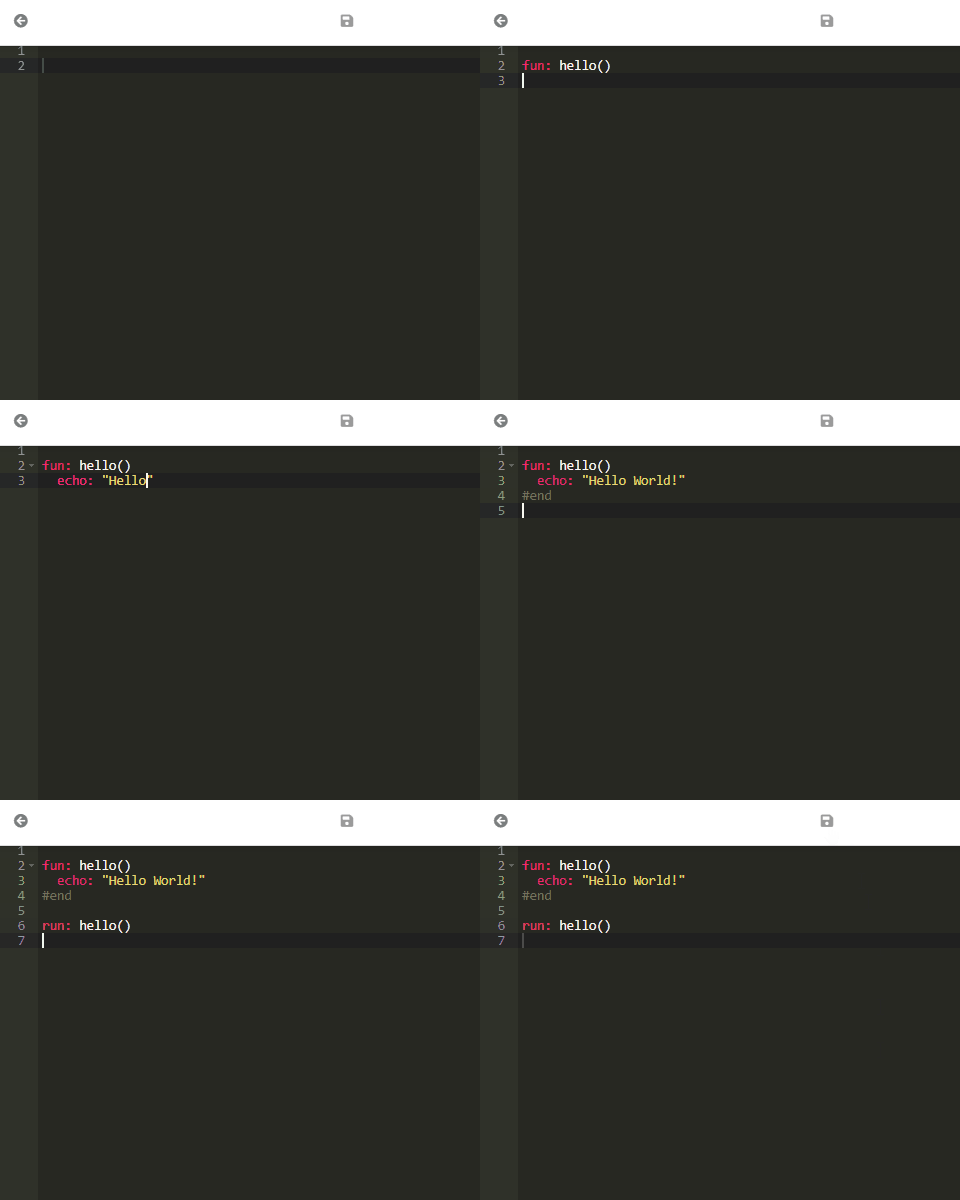
Just download and uncompress according to your system and run something like...
./abcodec -s abc/hello.abc
abcodecis the compiler andabc/hello.abcrepresent your source code with ABCode.
Go toABCodetopic in my blog.
| Target | Language | Extension |
|---|---|---|
| 0 | Binary | (exe: scriptc/perry) |
| 1 | NodeJS/Bun | .js |
| 2 | Deno | .ts |
| 3 | WebAssembly | .ts |
| 4 | Kotlin | .kt |
| 5 | Java | .java |
| 6 | Python | .py |
| 7 | Go | .go |
| 8 | PHP | .php |
| 9 | C# | .cs |
Official supported target is
1. There are targets fully experimentals (> 3).
Target0usesscriptc(on macOS/Linux) or you can use-b perryfor cross-compilation (both experimental).
abcode/
├── Cargo.toml          # Cargo workspace (shared build + lockfile)
├── Cargo.lock          # Locked dependency versions for all members
├── target/             # Shared build output (gitignored)
├── abcodec/            # CLI Compiler (abcodec)
│   ├── src/main.rs
│   ├── Cargo.toml
│   └── build.sh        # Cross-compilation script
├── abcodelib/          # Shared core (compile + BoaJS execution)
├── abcodejs/           # JavaScript transpilers (embedded by abcodelib)
├── abc/                # ABCode examples
├── abcodeweb/          # Web interface (playground)
├── abcoderun/          # Runtime for scripts
├── abcodefun/          # Serverless-style function runtime
└── abcodeext/          # Editor extensions
abcodec: Command-line compiler for ABCode under Rustabcodejs: JavaScript transpilers (embedded once viaabcodelib)abcodelib: Shared core — compile + BoaJS execution (used by all binaries)abcodeweb: Web UI for online compilation and preview (like playground)abcoderun: ABCode Runtime Environment for Scriptsabcodefun: ABCode Web Runtime for Functions execution platform (AWS Lambda-style)abcodeext: ABCode extensions for Editors (VSCode, Intellij, Vim, Zed, Lapce, Sublime, ACE.js)
All Rust crates are members of a single Cargo workspace defined at the repository root.
| Benefit | Detail |
|---|---|
One target/ |
Dependencies such as BoaJS compile once and are reused |
One Cargo.lock |
Reproducible builds across abcodec, runtimes, and web |
| Root commands | Build or run any package without cd into each crate |
# From the repository root

# Build everything (debug)
cargo build

# Build one package (release)
cargo build -p abcodec --release
cargo build -p abcoderun --release
cargo build -p abcodefun --release
cargo build -p abcodeweb --release
cargo build -p abcodelib --release

# Run
cargo run -p abcodec -- -s abc/hello.abc -t 1
cargo run -p abcoderun -- abc/hello.abc
cargo run -p abcodeweb
cargo run -p abcodefun

# Binaries land under the shared target directory
./target/release/abcodec -s abc/hello.abc -t 6
./target/release/abcoderun abc/hello.abc
Architecture (code sharing vs build sharing):
  abcodec ──┐
abcoderun ──┼──► abcodelib ──► abcodejs/ + BoaJS
abcodefun ──┤         ▲
abcodeweb ──┘         │
                      └── single workspace target/ + Cargo.lock
# CLI Compiler
cargo build -p abcodec --release
./target/release/abcodec -s abc/hello.abc -t 1

# Web Interface
cargo run -p abcodeweb
# Visit http://localhost:3000

# Serverless Functions
cargo run -p abcodefun
# POST http://localhost:3001/invoke

# Runtime
cargo run -p abcoderun -- abc/hello.abc

# Library only
cargo build -p abcodelibrustup target add aarch64-apple-darwin
rustup target add x86_64-pc-windows-msvc
rustup target add x86_64-unknown-linux-gnu
# rustup target add aarch64-unknown-linux-gnu
./abcodec/build.sh
# → dist/abcodec-mac, dist/abcodec.exe, dist/abcodecAll Rust crates are declared as members of a single Cargo workspace in the repository root Cargo.toml.
Benefits for ABCode:
- One single
Cargo.lock - One single
target/directory (build outputs are never duplicated) - Heavy crates (
boa_engine,rust-embed,feather, etc.) are compiled once and shared byabcodec,abcoderun,abcodefunandabcodeweb
Always at the workpace root:
target/debug/abcodec
target/release/abcodec
target/release/abcoderun
...
Even if you run commands while your current directory is inside a sub-crate, Cargo writes to the workspace target/.
Run from the repository root.
| Goal | Command |
|---|---|
| Build every workspace member (debug) | cargo build --workspace |
| Build every workspace member (release) | cargo build --workspace --release |
| Build only the CLI (release) | cargo build -p abcodec --release |
| Build library + one runtime (debug) | cargo build -p abcodelib -p abcoderun |
| Build everything in release at once | cargo build --release --workspace |
| Run any binary directly | cargo run -p abcodec -- -s abc/hello.abc -t 6cargo run -p abcoderun -- abc/hello.abc |
| Run tests | cargo test -p abcodelib |
| Check without producing artifacts | cargo check --workspace |
| Clean all build output | cargo clean |
cargo build -p foo and cargo run -p foo are the most common day-to-day commands. The -p (package) flag selects which member to build.
You can cd into a crate. Commands still resolve to the workspace root:
cd abcodec
cargo build -p abcodec --release     # writes to ../../target/release/abcodec
cargo run -p abcodec -- -s ../abc/hello.abc -t 1- Cold build (first time or after
cargo clean): 45–90+ seconds. Downloads dependencies and compiles BoaJS + all transitive crates. - Warm incremental builds: A few seconds for small changes.
- Changing
abcodelibaffects all binaries on next build (as expected).
# 1. Get everything up to date in release
cargo build --workspace --release

# 2. Make a change to the compiler
# 3. Fast recompile only what you need
cargo build -p abcodec --release

# 4. Test it
./target/release/abcodec -s abc/todo.abc -t 6-
abcodefun: looks for./functions/*.abcrelative to the process working directory. Run it like this:cd abcodefun && ../target/release/abcodefun # or (cd abcodefun && cargo run -p abcodefun)
-
abcoderunandabcodecaccept explicit paths (abc/hello.abc), so they work whether you run them from the root or a subdirectory.
| Package | Binary / purpose | Notes |
|---|---|---|
abcodelib |
Library only (no binary) | Core compilation + JS runtime |
abcodec |
abcodec CLI |
Main transpiler |
abcoderun |
abcoderun |
Execute .abc directly |
abcodefun |
abcodefun |
Serverless functions runtime (cwd matters) |
abcodeweb |
abcodeweb |
Playground / web UI |
© 2021-2026 by César Andres Arcila Buitrago