Home
Simple SEO is an SEO management suite for Devflow CMS. It supports themes, Page Builder pages, content types, products, homepage SEO, custom routes, and multisite installations.
- Overview
- Installation
- Theme and Layout Requirements
- Initial Setup
- Settings Overview
- Global SEO Settings
- Homepage SEO
- Webmaster Tools
- Schema Settings
- Social Metadata
- Sitemaps
- Robots.txt
- IndexNow
- Google Search Console
- Manual Indexing
- Google Analytics and Google Tag Manager
- Content SEO
- Product SEO
- Page SEO
- Custom SEO Route
- Redirect Manager
- 404 Monitor
- Crawl Diagnostics
- Import and Export
- Multisite Support
- Uninstall and Cleanup
- Troubleshooting
- Developer Notes
- Recommended QA Checklist
- Automatic SEO URL Submission
Simple SEO helps Devflow developers and site owners manage SEO from one plugin while preserving Devflow's developer-first flexibility.
The plugin supports SEO metadata for:
- Homepage
- Content Types
- Products
- Page Builder pages
- Custom framework routes
- Theme-driven routes
- Plugin routes
It also includes technical SEO features:
- Runtime XML sitemaps
- Runtime robots.txt
- Redirect Manager
- 404 Monitor
- Crawl Diagnostics
- Manual indexing submissions
- IndexNow support
- Google Search Console OAuth support
- Google Analytics 4 support
- Google Tag Manager support
- Schema.org JSON-LD generation
- Import/export settings
Install and activate Simple SEO like any other Devflow plugin:
php codex plugin:install getdevflow/simple-seo
After activation, the Simple SEO menu becomes available in the Devflow admin area.
Typical admin sections include:
- Settings
- Indexing
- Redirect Manager
- 404 Monitor
- Custom Routes
Simple SEO outputs metadata and frontend integration through Devflow helper functions. Themes and layouts should include the following helpers in the correct locations.
Place this before the closing </head> tag:
<?php App\Shared\Helpers\cms_head(); ?>Used for:
- SEO meta tags
- Canonical tags
- Open Graph tags
- Twitter Card tags
- Schema.org JSON-LD
- Google Tag Manager head loader
- Other enqueued CSS and/or Javascript
Place this immediately after the opening <body> tag:
<body>
<?php App\Shared\Helpers\cms_body_open(); ?>
Used for:
- Google Tag Manager body placement support
- Future integrations that must load near the top of the body
Place this before the closing </body> tag:
<?php App\Shared\Helpers\cms_footer(); ?>
</body>
Used for:
- Google Analytics footer loader
- Footer scripts registered by plugins
- Other enqueued Javascripts
<!doctype html>
<html lang="en">
<head>
    <meta charset="utf-8">
    <meta name="viewport" content="width=device-width, initial-scale=1">

    <?php App\Shared\Helpers\cms_head(); ?>
</head>
<body>
    <?php App\Shared\Helpers\cms_body_open(); ?>

    <?= $content ?? ''; ?>

    <?php App\Shared\Helpers\cms_footer(); ?>
</body>
</html>After activating the plugin, review these areas first:
- Open Simple SEO → Settings.
- Configure global site name and title separator.
- Configure homepage SEO.
- Configure organization or site identity schema.
- Enable desired sitemap types.
- Configure robots.txt.
- Configure IndexNow or Google Search Console if needed.
- Configure Google Analytics or Google Tag Manager if needed.
- Visit the Crawl Diagnostics panel to verify what's successful.
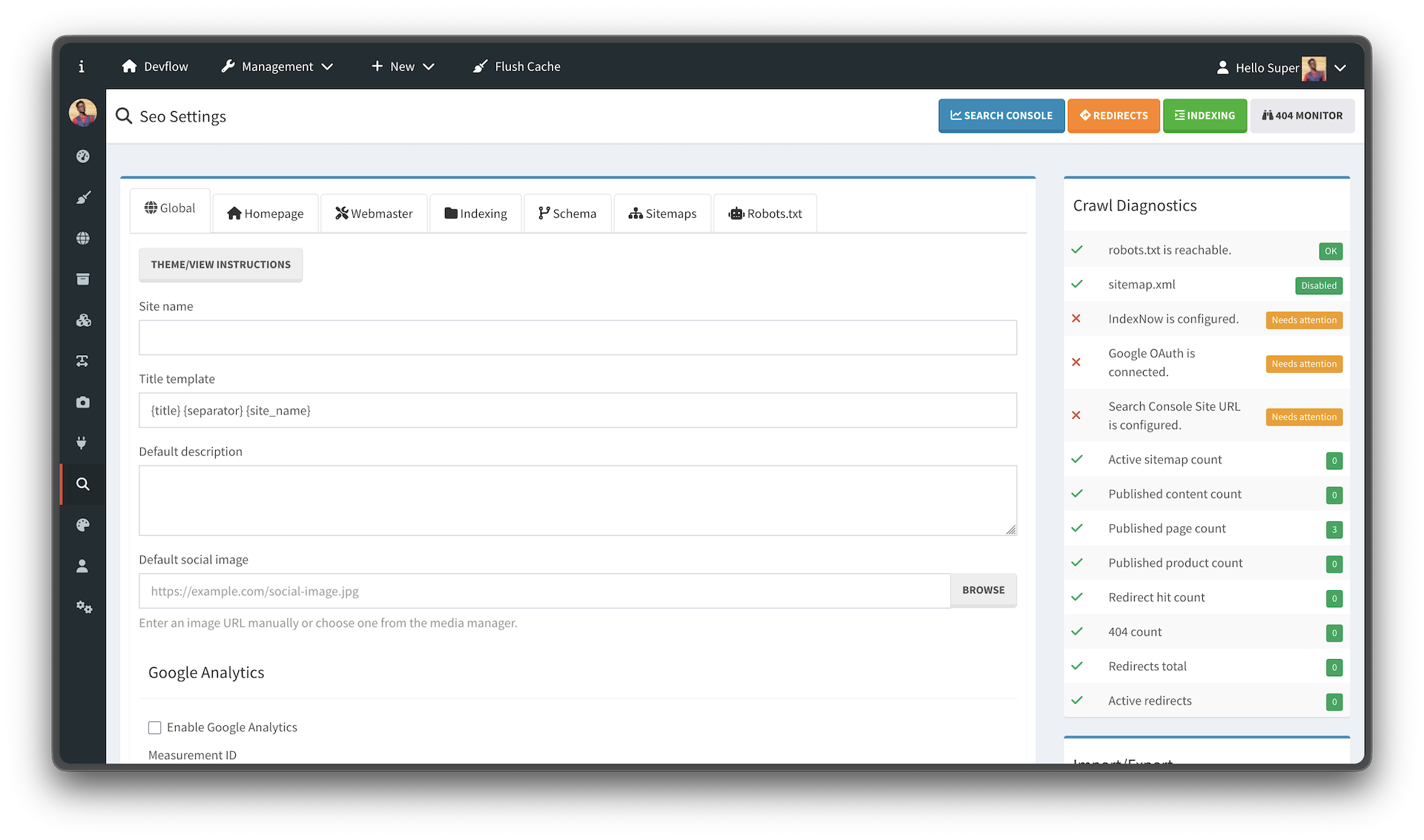
The settings screen contains multiple tabs and asides:
- Global
- Homepage
- Webmaster
- Indexing
- Schema
- Sitemaps
- Robots.txt
- Crawl Diagnostics
- Import/Export Settings
- Url Indexing
Global settings provide default values used across the site when entity-specific SEO fields are empty.
Common settings include:
- Site name
- Title separator
- Default title template
- Default meta description
- Default social image
A title template may use placeholders such as:
{title} {separator} {site_name}
Example output:
About Devflow - Devflow CMS
Homepage SEO controls metadata for theme-rendered homepages and fallback homepage output.
Settings may include:
- Homepage title
- Homepage description
- Homepage schema type
- Homepage robots directives
If the homepage is powered by a Page Builder page, the Page SEO settings can take precedence over the Homepage tab. If the homepage is theme-driven, the Homepage tab is used.
Homepage robots settings include:
- Allow indexing
- Allow following links
- No archive
- No snippet
Recommended public defaults:
index,follow
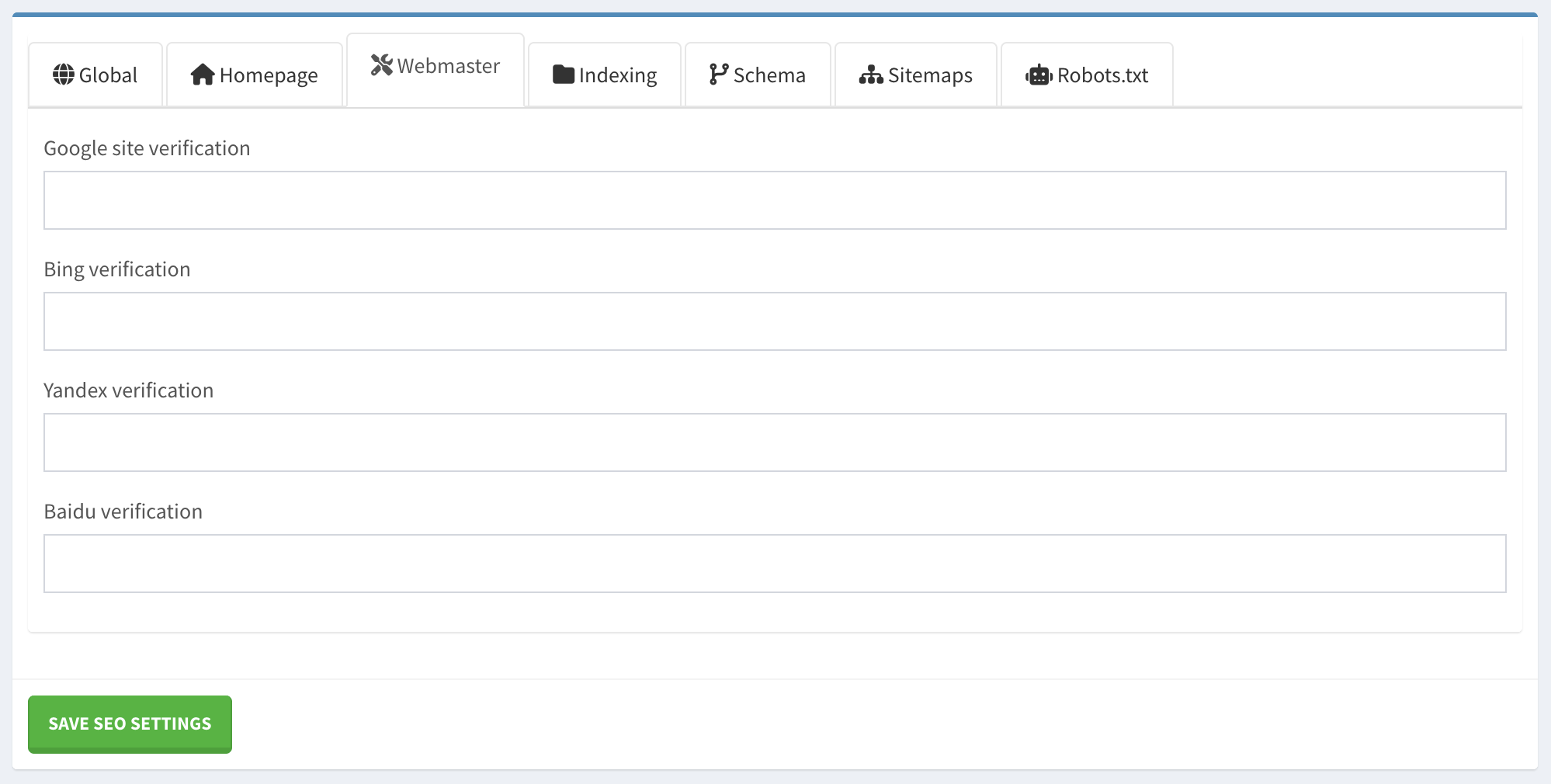
Simple SEO supports verification fields such as:
- Google site verification
- Bing verification
- Yandex verification
These are output in the <head> area when configured.
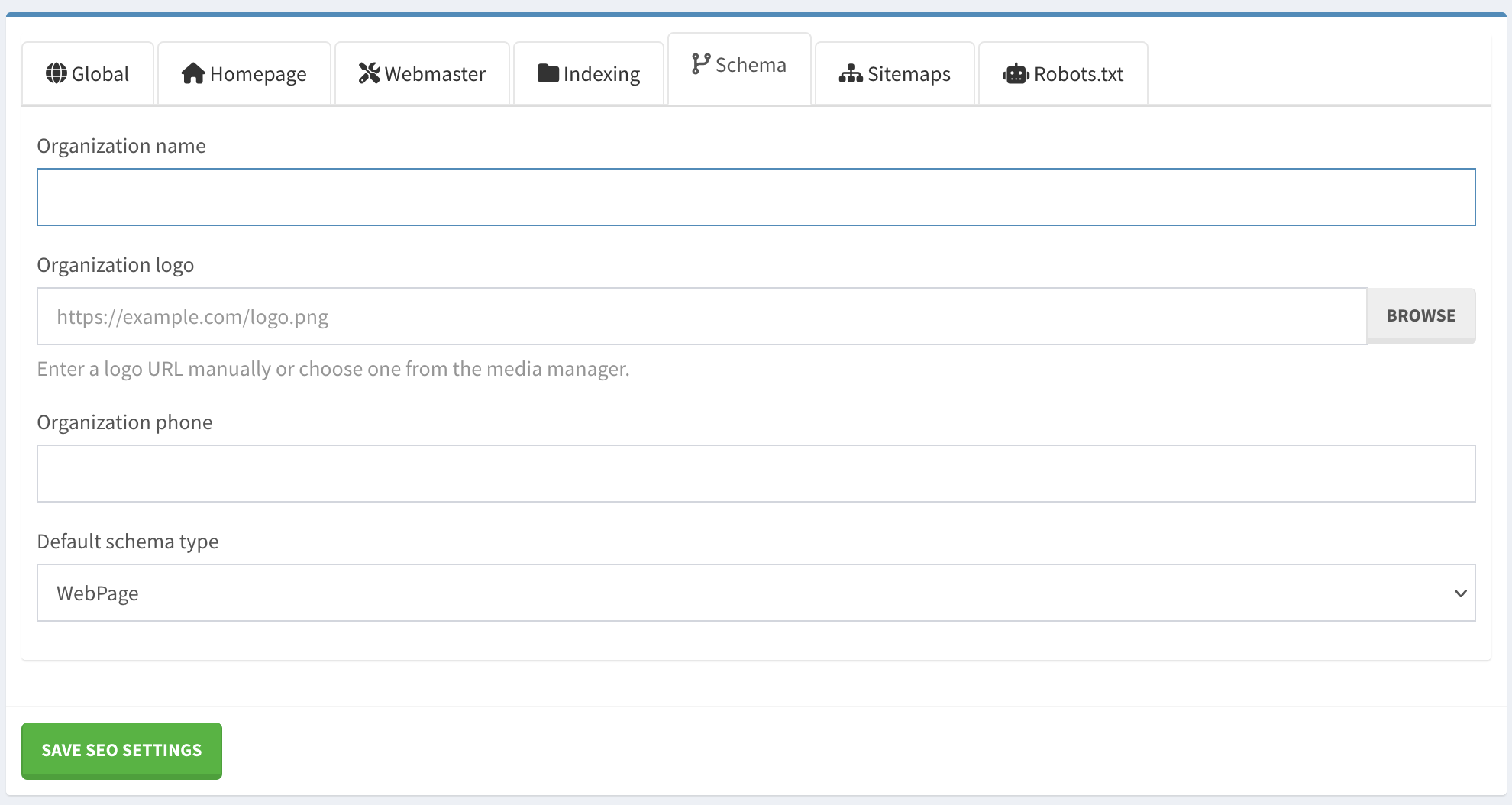
Simple SEO generates Schema.org JSON-LD markup for pages, content, products, homepage, and custom routes.
The Schema tab can define the site identity node.
Supported identity types may include:
- Organization
- Person
- LocalBusiness
- Corporation
- EducationalOrganization
- NGO
Common fields:
- Organization/person name
- URL
- Logo or image
Example generated identity node:
{
  "@id": "https://example.com/#organization",
  "@type": "Organization",
  "name": "Example Site",
  "url": "https://example.com/",
  "logo": "https://example.com/logo.png"
}
If the identity type is Person, the image field is used instead of logo.
Homepage output commonly includes:
- WebSite
- WebPage
Example:
{
  "@context": "https://schema.org",
  "@graph": [
    {
      "@type": "WebSite",
      "@id": "https://example.com/#website",
      "url": "https://example.com/",
      "name": "Example Site"
    },
    {
      "@type": "WebPage",
      "@id": "https://example.com/#webpage",
      "url": "https://example.com/",
      "name": "Home",
      "isPartOf": {
        "@id": "https://example.com/#website"
      }
    }
  ]
}
Content types can use schema types such as:
- Article
- BlogPosting
- NewsArticle
- WebPage
Article output usually includes:
- headline
- description
- datePublished
- dateModified
- author
- mainEntityOfPage
- WebPage node
- site identity node when configured
Product output usually includes:
- Product node
- name
- description
- SKU
- image
- offers
- price
- currency
- availability
- WebPage node
Each entity's SEO form can include custom schema JSON. Use this when the generated schema is not specific enough.
Do not include the <script> tag. Enter only valid JSON.
Example Article override:
{
  "@type": "Article",
  "headline": "Introducing Devflow CMS",
  "description": "A modern content management framework for PHP developers.",
  "author": {
    "@type": "Person",
    "name": "Joshua Parker"
  },
  "datePublished": "2026-06-10T10:00:00-06:00",
  "dateModified": "2026-06-10T10:00:00-06:00"
}
Example FAQPage override:
{
  "@type": "FAQPage",
  "mainEntity": [
    {
      "@type": "Question",
      "name": "What is Devflow CMS?",
      "acceptedAnswer": {
        "@type": "Answer",
        "text": "Devflow CMS is a developer-focused content management framework."
      }
    }
  ]
}
Simple SEO supports Open Graph and Twitter Card metadata.
Common fields include:
- Facebook/Open Graph title
- Facebook/Open Graph description
- Facebook/Open Graph image
- Twitter title
- Twitter description
- Twitter image
If social fields are empty, Simple SEO falls back to:
- Entity-specific SEO values
- Featured image or entity image
- Default social image from global settings
Generated tags may include:
<meta property="og:title" content="...">
<meta property="og:description" content="...">
<meta property="og:image" content="...">
<meta property="og:url" content="...">
<meta name="twitter:card" content="summary_large_image">
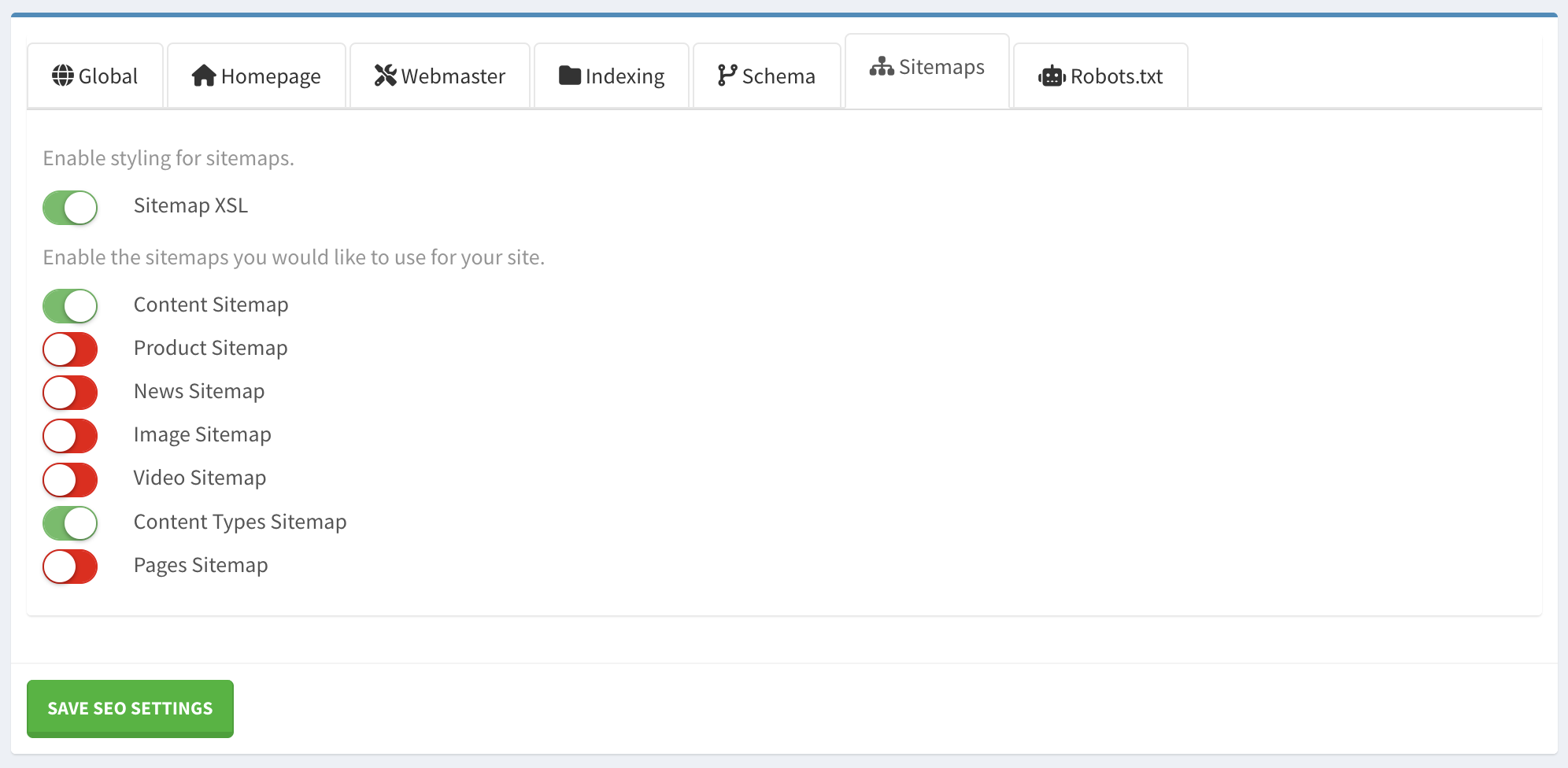
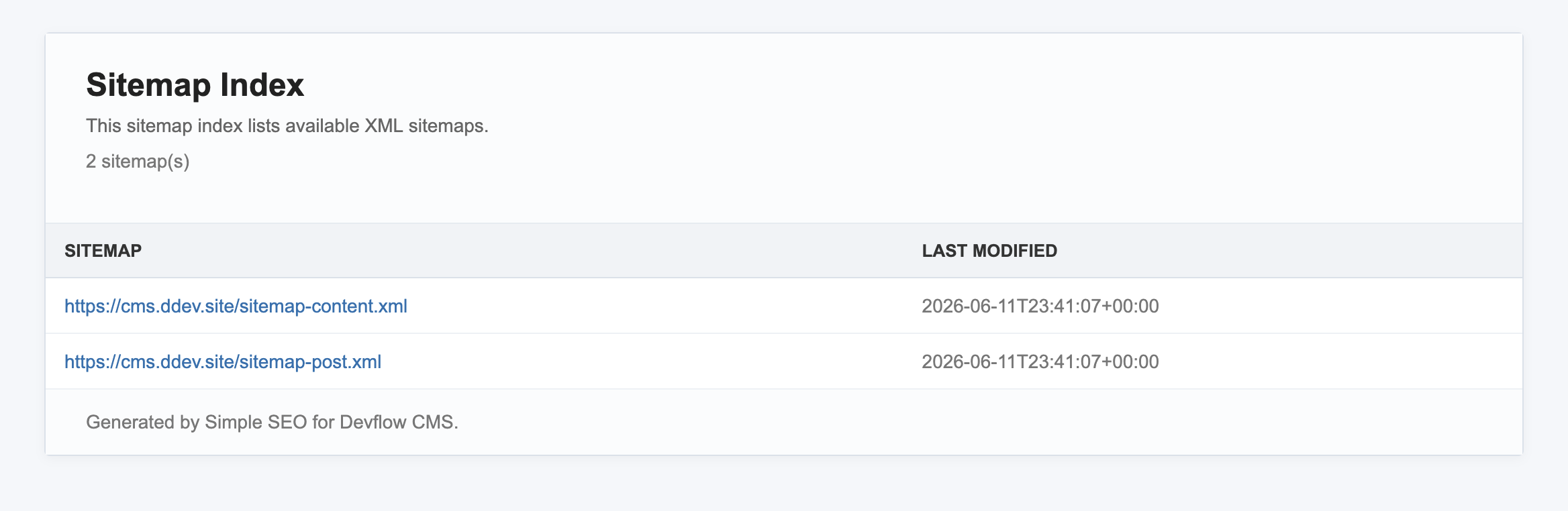
<meta property="twitter:url" content="...">Simple SEO generates XML sitemaps at runtime. There is no sitemap file to regenerate.
Common sitemap URLs:
/sitemap.xml
/sitemap-content.xml
/sitemap-products.xml
/sitemap-pages.xml
/sitemap-content-{type}.xml
Available sitemap types may include:
- Content sitemap
- Product sitemap
- Page sitemap
- Content type sitemaps
If no sitemaps are enabled, /sitemap.xml should return a 404 or disabled response rather than an empty sitemap index.
If a sitemap is enabled but has no data, it should not be included in the sitemap index.
Simple SEO includes XSL styling for XML sitemap presentation.
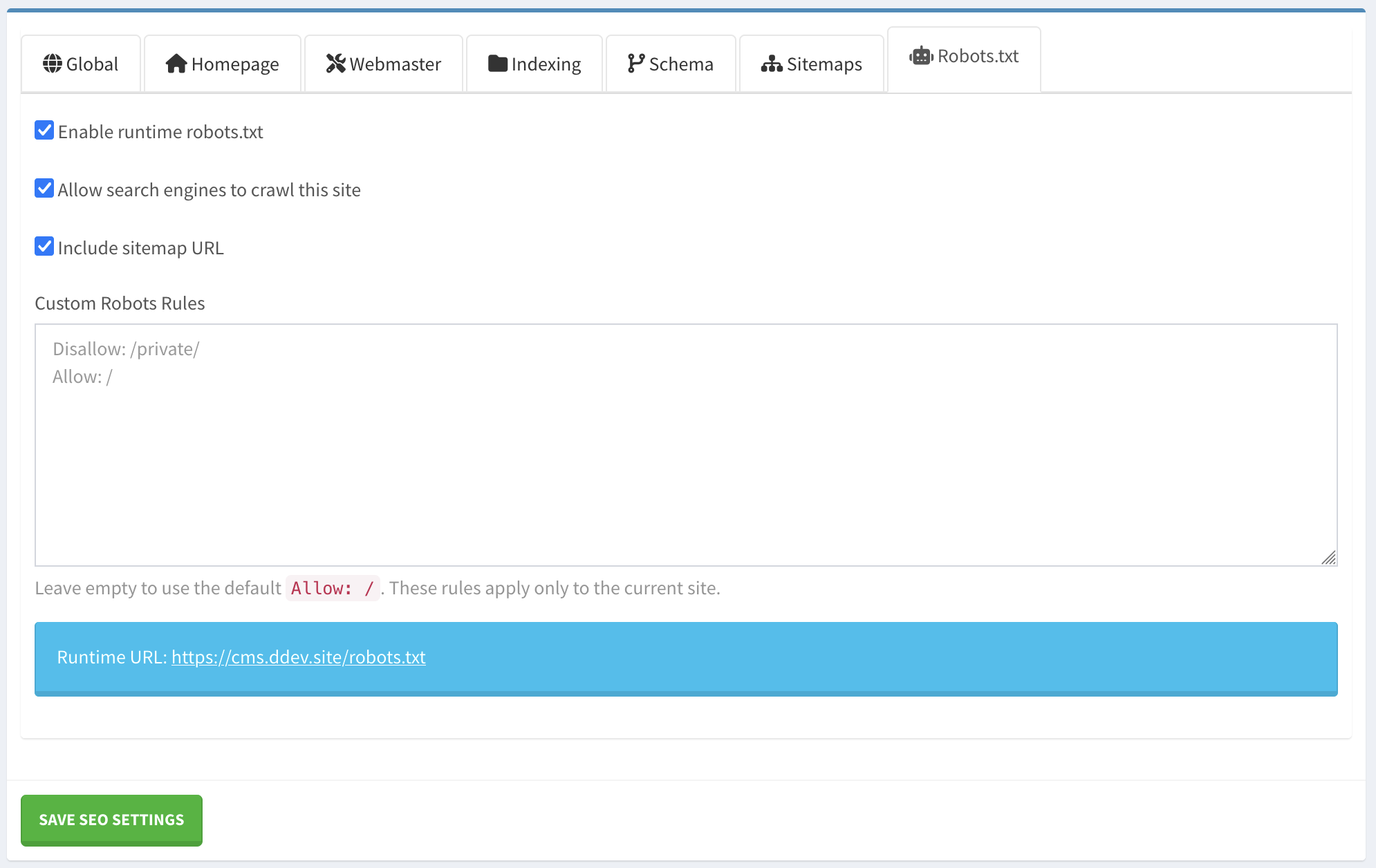
Simple SEO can generate robots.txt dynamically.
Typical output:
User-agent: *
Allow: /

Sitemap: https://example.com/sitemap.xml
If indexing is disabled:
User-agent: *
Disallow: /
The sitemap line is only included when at least one sitemap is enabled.
Because robots.txt is generated at runtime, each site or subsite can output its own robots rules based on its own settings.
Examples:
https://example.com/robots.txt
https://blog.example.com/robots.txt
https://site2.example.com/robots.txt
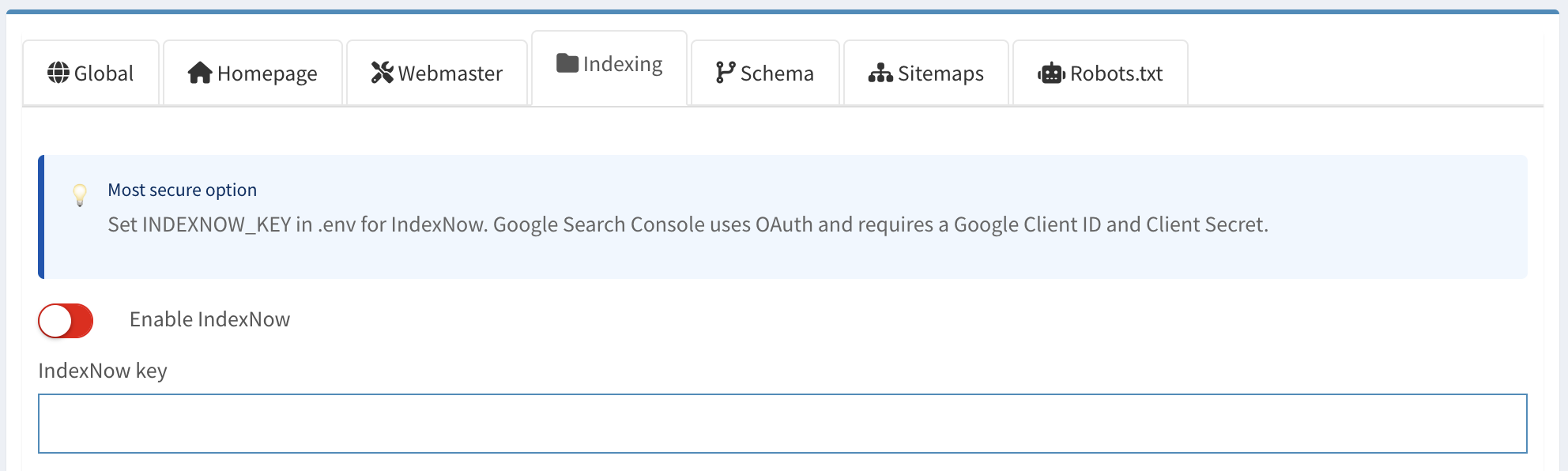
Simple SEO supports IndexNow for fast URL submission to supported search engines.
IndexNow can be used for:
- Single URL submission
- Bulk URL submission
- Sitemap submission
Supported search engines include IndexNow-compatible providers such as Bing and others.
- Enable IndexNow.
- Enter or generate an IndexNow key.
- Confirm the key file or key route is accessible if your implementation requires it.
- Submit a test URL.
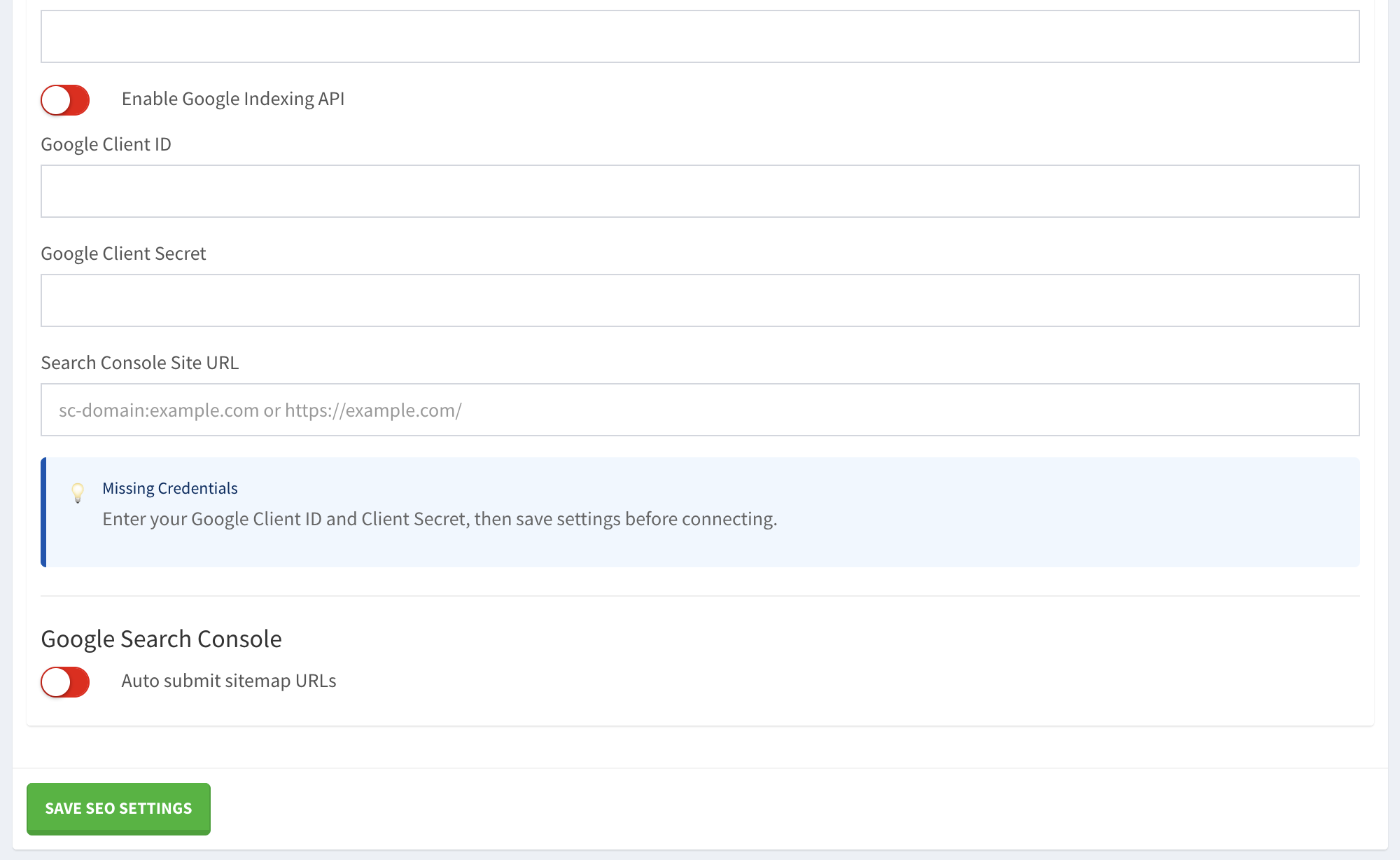
Simple SEO supports Google Search Console using OAuth.
- Create Google OAuth credentials in Google Cloud Console.
- Add the Client ID and Client Secret in Simple SEO.
- Configure the redirect/callback URL exactly by replacing your domain name: https://example.com/admin/plugin/simple-seo/google/callback/.
- Save settings.
- Click the Connect Google button.
- Approve the OAuth request.
- Configure the Search Console Property.
The Search Console property must match the property in the connected Google account.
URL-prefix property examples:
https://example.com/
https://site.eample.com/
Domain property example:
sc-domain:example.com
If your Search Console account uses a Domain Property, use the sc-domain: format.
A domain property covers subdomains and protocols such as:
https://example.com/
https://blog.example.com/
http://site2.example.com/
If you see:
Search Console request failed with HTTP 403.
User does not have sufficient permission for site.
Check that the configured property exactly matches a Search Console property available to the connected Google account.
For example, if this fails:
https://example.com/
try the domain property:
sc-domain:example.com
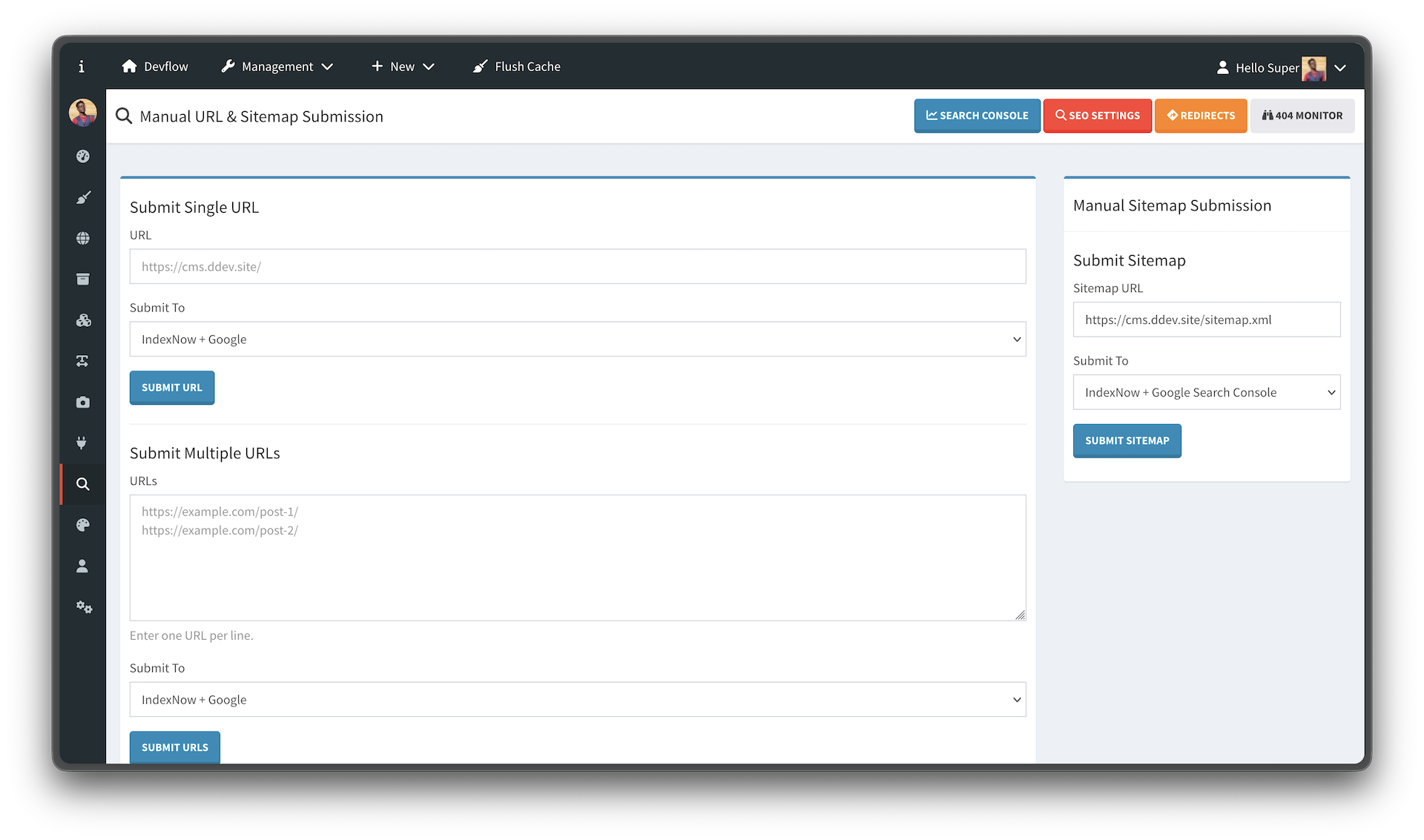
The Indexing screen allows manual submission of URLs and sitemaps.
Supported actions:
- Submit one URL
- Submit multiple URLs
- Submit sitemap
- Submit to IndexNow
- Submit to Google
- Submit to both engines
The response alert shows success only when at least one submission succeeds. If all configured engines fail, an error will be displayed.
Simple SEO supports settings-based Google Analytics and Google Tag Manager integration.
Configure:
Measurement ID: G-XXXXXXXXXX
Google Analytics is loaded through Devflow's frontend asset/action system.
Configure:
Container ID: GTM-XXXXXXX
GTM head support uses the cms_head hook.
GTM body placement support uses the cms_body_open hook.

Simple SEO adds SEO fields to Devflow content editing screens.
Common fields:
- Meta title
- Meta description
- Canonical URL
- Robots directives
- Open Graph fields
- Twitter Card fields
- Schema type
- Custom schema JSON
- Redirect settings
- SEO analysis
The canonical field may be left empty. When empty, Simple SEO generates the canonical URL automatically from the resolved content URL.
Only enter a canonical URL manually when you need to override the generated value.
When content slug changes, Simple SEO can create a redirect from the old URL to the new URL.
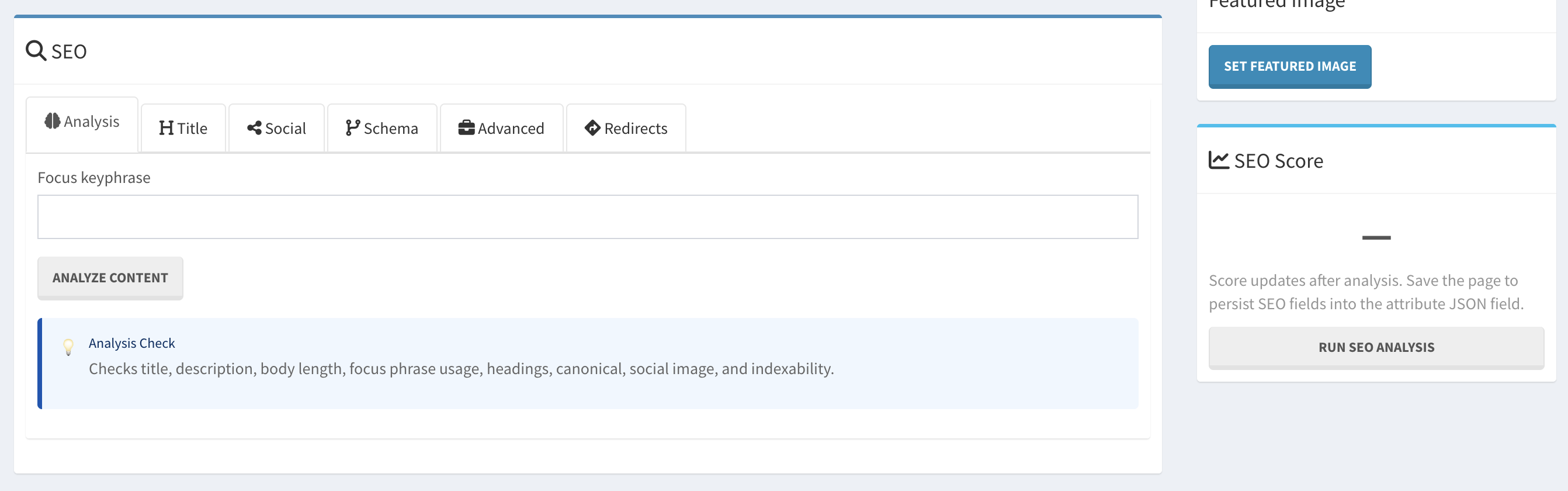
The SEO tab is the same for content, product, page, and custom SEO routes.
Simple SEO supports SEO fields for Devflow products.
Common fields:
- Product meta title
- Product meta description
- Canonical URL
- Robots directives
- Social metadata
- Product schema
- Redirect settings
Product schema can include:
- Product name
- Description
- SKU
- Image
- Offer
- Price
- Currency
- Availability
Simple SEO supports Page Builder pages.
Page SEO includes:
- Meta title
- Meta description
- Canonical URL
- Robots directives
- Social metadata
- Schema type
- Custom schema JSON
- Redirect settings
A page can have multiple translations and multiple routes, such as:
<input name="route[en]" value="/contact">
<input name="route[es]" value="/contact/es">
Simple SEO uses the main/default route for canonical preview and generated canonical behavior. For the other routes, you can use Custom SEO Routing.
If a Page Builder page is used as the homepage, Page SEO can override Homepage tab settings.
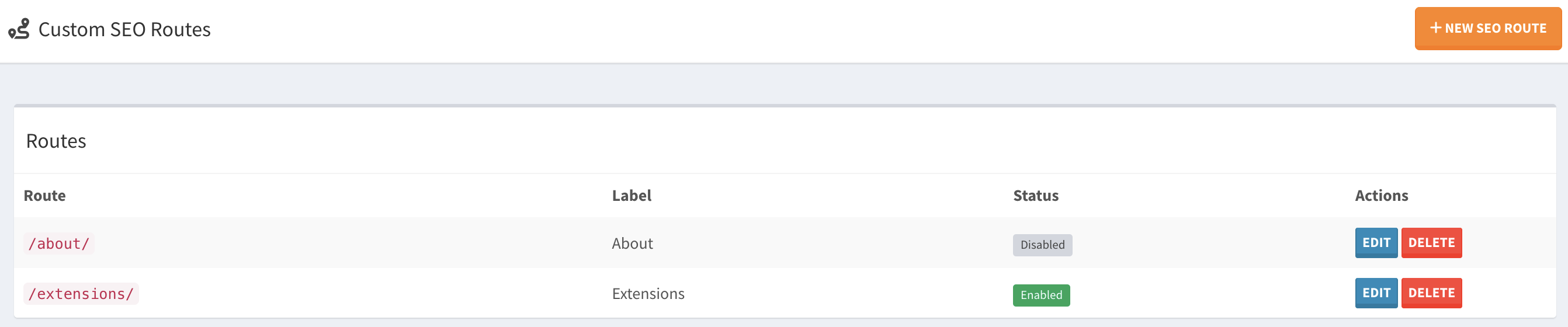
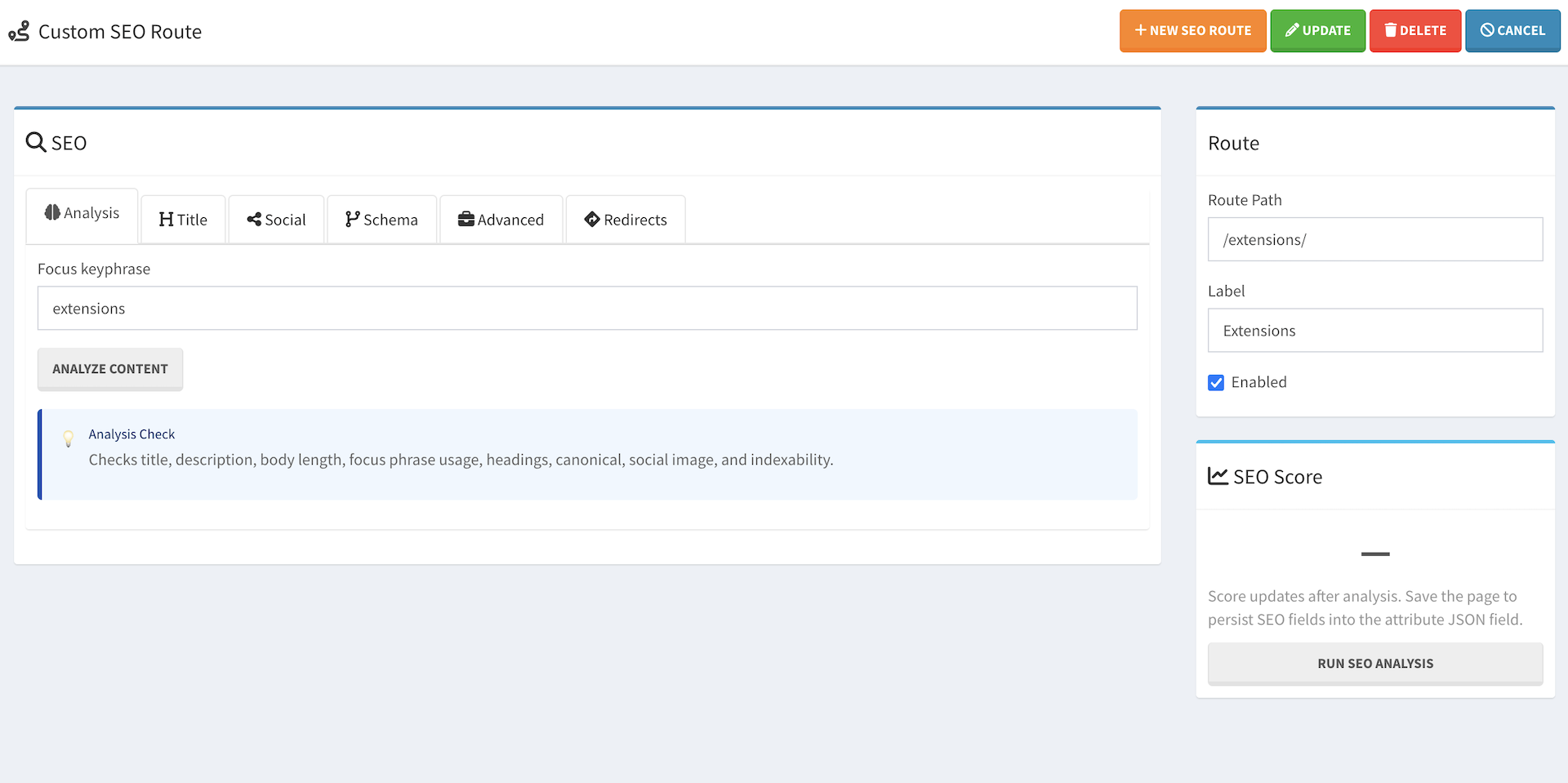
Custom SEO Route allows you to define SEO metadata for routes that are not managed by Devflow Pages, Content, Products, or a theme.
This is useful for Devflow as a framework because developers may build custom routes, custom controllers, or create plugin-driven pages that do not have a defined entity.
Examples:
/pricing/
/features/
/developers/docs/
/account/login/
/account/register/
/custom-plugin-page/
Custom SEO Route can define:
- Route path
- Route label
- Enabled/disabled status
- Meta title
- Meta description
- Canonical URL
- Robots directives
- Social metadata
- Schema type
- Custom schema JSON
Simple SEO resolves metadata in this order:
- Content, Product, Page, or Homepage SEO
- Custom SEO Route
- Global defaults
This ensures entity-specific SEO always wins, while custom framework routes can still be optimized.
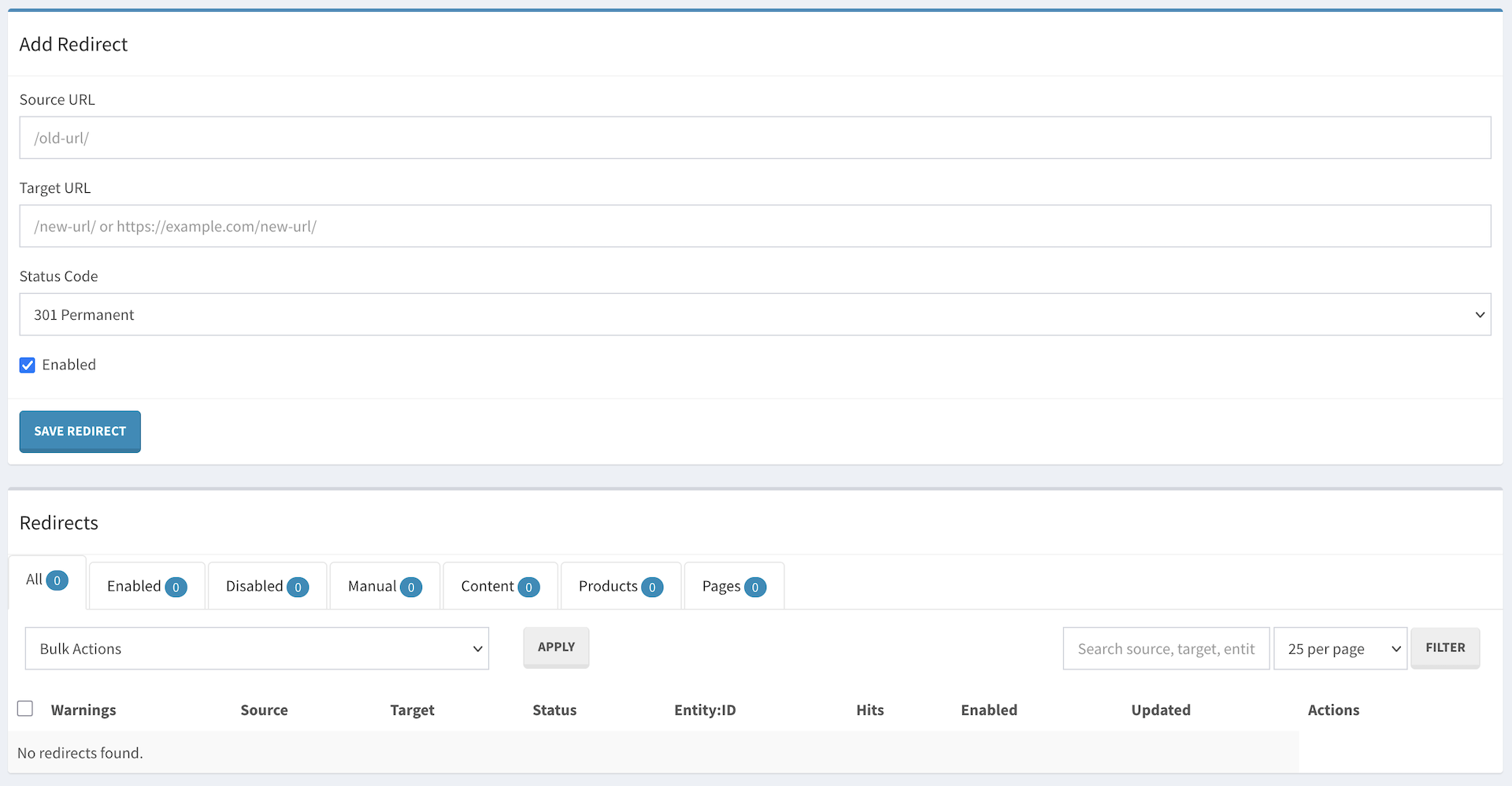
The Redirect Manager creates real HTTP redirects, not router rewrites.
This means when a user visits an old URL:
/old-url/
The browser is redirected to:
/new-url/
with the configured HTTP status code.
Supported status codes:
- 301 Permanent Redirect
- 302 Temporary Redirect
- 307 Temporary Redirect
- 308 Permanent Redirect
- Manual redirects
- Entity-linked redirects
- Redirect editing
- Enable/disable redirects
- Delete redirects
- Bulk actions
- Search
- Filters
- Hit tracking
- Redirect analytics
- Redirect chain warnings
- Redirect loop prevention
A redirect chain happens when:
/contact-us/ → /contact/
/contact/ → /about-me/
This is valid but not ideal. Simple SEO warns when a redirect points to another redirect.
Recommended cleanup:
/contact-us/ → /about-me/
/contact/ → /about-me/
Simple SEO prevents loops such as:
/contact/ → /contact/
or:
/a/ → /b/
/b/ → /a/
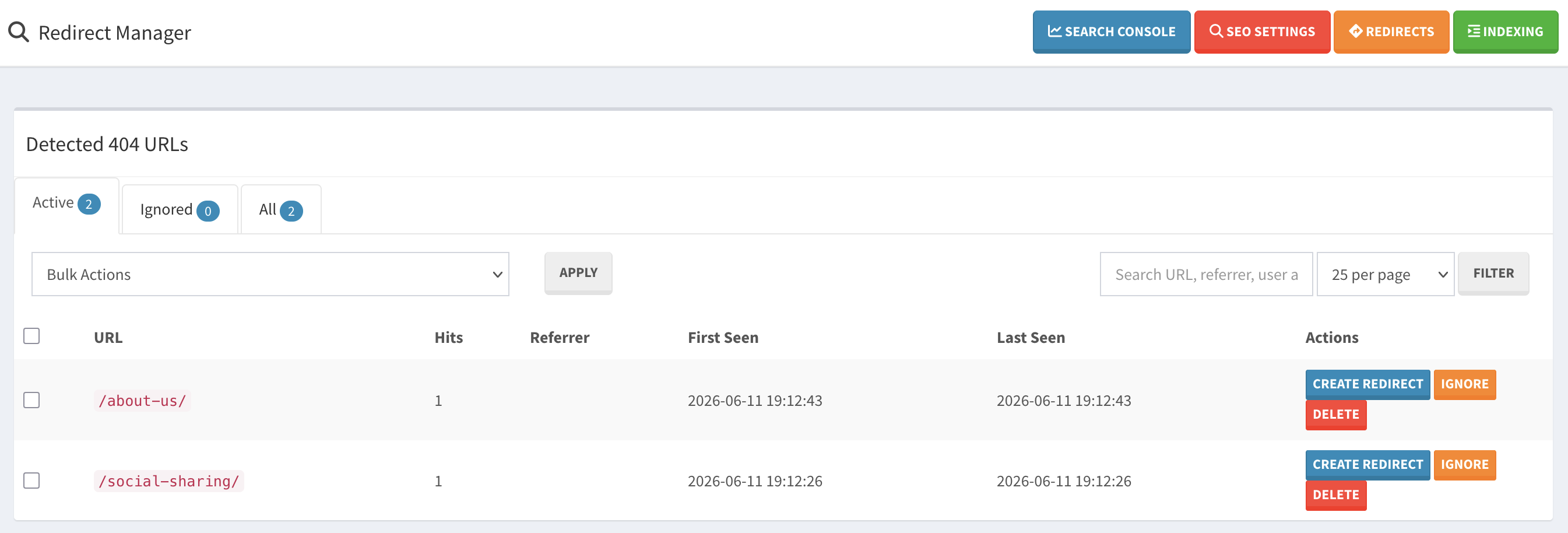
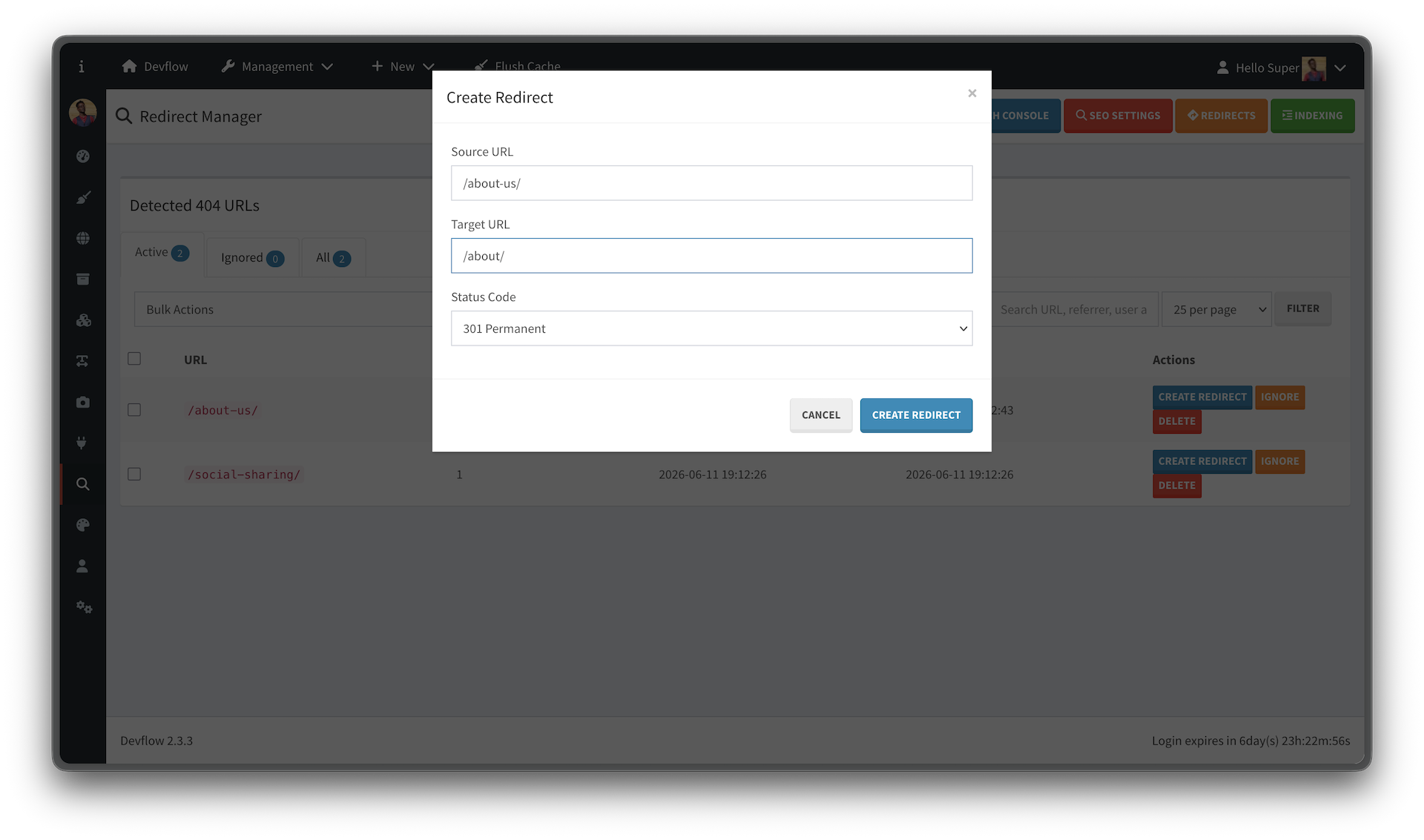
The 404 Monitor tracks missing/broken URLs and helps convert them into redirects.
Features:
- Automatic 404 logging
- Hit counts
- First seen date
- Last seen date
- Referrer tracking
- User agent tracking
- Create redirect from 404
- Ignore 404s
- Restore ignored 404s
- Bulk actions
- Open the 404 Monitor.
- Review active 404s.
- Create redirects for valid old URLs.
- Ignore noise or irrelevant URLs.
- Bulk delete entries when no longer needed.
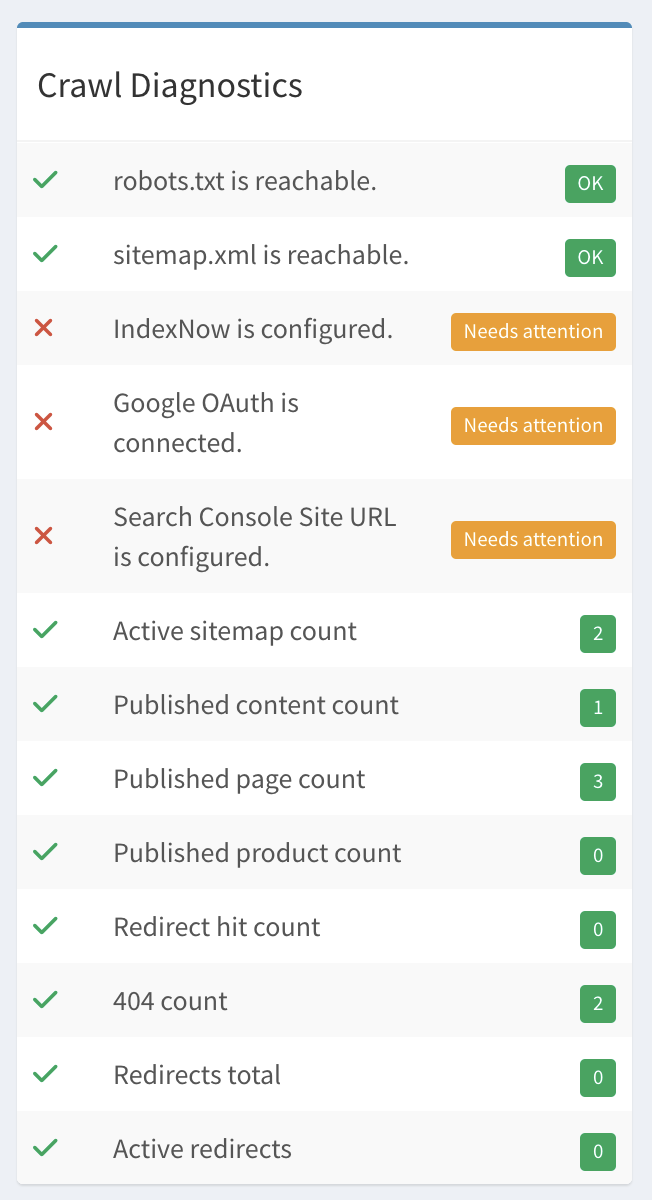
Crawl Diagnostics provides a quick overview of SEO health.
Checks and metrics may include:
- robots.txt reachable
- sitemap.xml reachable
- active sitemap count
- published content count
- published page count
- published product count
- redirect count
- active redirects
- redirect hit count
- 404 count
- IndexNow configured
- Google OAuth connected
- Search Console property configured
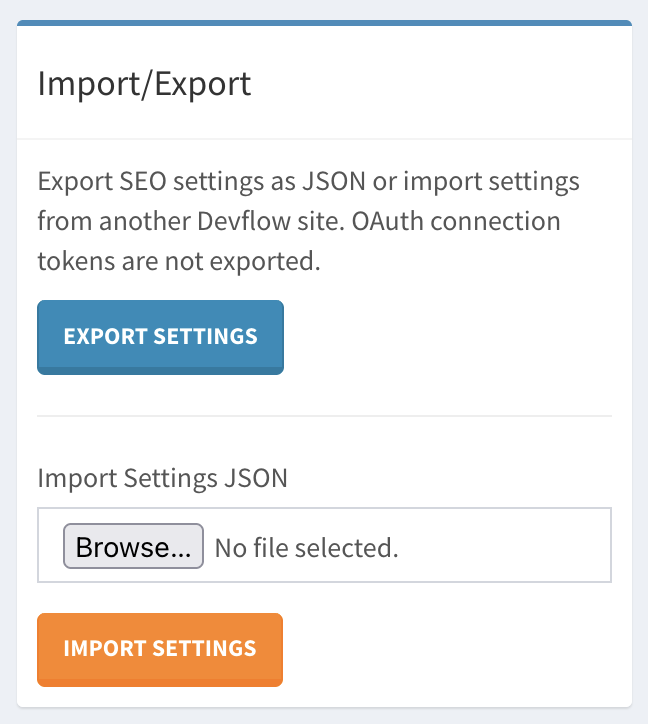
Simple SEO supports importing and exporting settings as JSON.
Use this for:
- Moving settings between environments
- Backing up configuration
- Copying settings between subsites
- Reusing SEO defaults
OAuth tokens are not exported.
Export may include:
- Global settings
- Homepage settings
- Schema settings
- Sitemap settings
- Robots settings
- Tracking settings
- Indexing settings
Excluded values may include:
- OAuth access tokens
- OAuth refresh tokens
- Token expiration values
Simple SEO is designed to work with Devflow multisite.
Per-site data includes:
- Settings
- Redirects
- 404 logs
- Route SEO records
- Sitemap settings
- robots.txt settings
- Tracking settings
- Indexing settings
Each site can have its own SEO behavior.
For multisite installations under the same root domain, a Search Console Domain Property is recommended.
Example:
sc-domain:example.com
This can cover:
https://example.com/
https://blog.example.com/
https://docs.example.com/
Simple SEO supports cleanup when deactivated if the Remove Settings option is enabled.
Cleanup may remove:
- Plugin settings
- Redirect tables
- 404 monitor tables
- Custom SEO Route tables
- SEO attributes from content
- SEO attributes from products
- SEO attributes from pages
This cleanup is per-site in multisite environments.
Check that your theme includes:
<?php App\Shared\Helpers\cms_head(); ?>before </head>.
The configured Search Console property does not match a property available to the connected Google account.
Try using the exact Search Console property value:
sc-domain:example.com
or:
https://example.com/
depending on your Search Console property type.
Check that at least one sitemap type is enabled and that the selected content type has published data.
Simple SEO only includes the sitemap line when at least one sitemap is enabled.
Recommended resolution order:
- Page SEO
- Content SEO
- Product SEO
- Homepage SEO
- Custom SEO Route
- Global defaults
Custom SEO Route should not override actual entity SEO.
Canonical URLs should remain empty unless manually overridden. When empty, Simple SEO generates canonical URLs from the resolved entity URL.
Recommended graph model:
Homepage:
WebSite
WebPage
Organization/Person/LocalBusiness optional
Content article:
Article
WebPage
Organization/Person/LocalBusiness optional
Product:
Product
WebPage
Organization/Person/LocalBusiness optional
Page:
WebPage
Organization/Person/LocalBusiness optional
Simple SEO can automatically submit changed URLs to supported indexing services whenever content, products, pages, or custom SEO routes are created or updated.
This helps search engines discover changed URLs faster without requiring manual submission.
Automatic URL submission currently supports:
- Content entries
- Products
- Page Builder pages
- Custom SEO routes
When one of these items is created or updated, Simple SEO resolves the public URL and adds it to the submission queue.
Simple SEO can queue URLs for:
- IndexNow
- Google Indexing
- Google + IndexNow
IndexNow is recommended as the default option for most sites.
Automatic submission does not submit URLs immediately during the save request. Instead, Simple SEO adds changed URLs to a queue.
This prevents slow editor saves and avoids API timeout issues.
| Status | Meaning |
|---|---|
| pending | Waiting to be processed |
| processing | Currently being submitted |
| done | Successfully submitted |
| failed | Failed after maximum retry attempts |
Navigate to:
Admin → Simple SEO → Settings → Indexing
Enable:
Automatically submit changed URLs
Then choose a submission engine:
| Engine | Description |
|---|---|
| IndexNow | Submit changed URLs to IndexNow-compatible search engines |
| Submit changed URLs to Google Indexing | |
| Google + IndexNow | Submit changed URLs to both services |
Configure an IndexNow key in Simple SEO settings or your environment.
Example:
INDEXNOW_KEY=your-indexnow-keyMake sure the IndexNow key file is publicly accessible if your implementation requires verification.
To generate a key for IndexNow, run the following console command: php codex ddd:uuid
To use Google submission, configure and connect Google Search Console.
Required settings:
Google Client ID
Google Client Secret
Search Console Property
sc-domain:example.com
https://example.com/
https://site2.example.com/
After saving your Google settings, click:
Connect Google
and authorize the application.
For multisite or subdomain installations, a domain property such as
sc-domain:example.comis recommended because it covers all subdomains.
Add the console command to the command array in ./config/app.php:
Plugin\SimpleSeo\Console\SeoSubmitQueueCommand::class,
Automatic submission requires the queue processor to run regularly.
php codex seo:submit-queueMake sure you have the master cron setup for your system.
* * * * * cd /path/to/devflow && php codex schedule:run >/dev/null 2>&1Then open Cms/Application/Provider/SchedulerServiceProvider.php, and add the following line within the first action hook:
$schedule->command(command: 'seo:submit-queue')->everyMinute(minute: 5);Every 5–10 minutes
$schedule->command(command: 'seo:submit-queue')->everyMinute(minute: 5);
// or
$schedule->command(command: 'seo:submit-queue')->everyMinute(minute: 10);Every 15–30 minutes
$schedule->command(command: 'seo:submit-queue')->everyMinute(minute: 15);
// or
$schedule->command(command: 'seo:submit-queue')->everyMinute(minute: 30);Every 1–5 minutes
$schedule->command(command: 'seo:submit-queue')->everyMinute();
// or
$schedule->command(command: 'seo:submit-queue')->everyMinute(minute: 5);
Confirm that the new queue command shows up in the scheduled list by running the following command: php codex schedule:list.
You should see a new entry similar to the following:
| Codefy\Framework\Scheduler\Processor\Shell | /usr/bin/php8.4 codex seo:submit-queue | */30 * * * * | 13 June 2026 12:30 PM | no |
If submission fails, Simple SEO records the error and retries later.
After multiple failed attempts, the queue item is marked as:
failed
Simple SEO does not automatically submit:
- Draft content
- Disabled custom SEO routes
- URLs that cannot be resolved
- Deleted URLs
- Redirect targets unless the entity itself is updated
Before pushing your Devflow CMS site to production, test these areas:
- Theme homepage meta tags
- Page Builder homepage meta tags
- Homepage canonical
- Homepage robots
- Homepage schema
- Meta title
- Meta description
- Canonical generation
- Social preview
- Article schema
- Redirect on slug change
- Product canonical
- Product schema
- Product social image
- Redirect on slug change
- Page canonical
- Page schema
- Page routes
- Redirect on route change
- Route SEO list
- Create route SEO
- Edit route SEO
- Disable route SEO
- Delete route SEO
- Frontend output
- Sitemap index
- Content sitemap
- Product sitemap
- Page sitemap
- Disabled sitemap behavior
- Empty sitemap behavior
- Enabled output
- Disabled output
- Sitemap line behavior
- Multisite behavior
- Create redirect
- Edit redirect
- Enable/disable redirect
- Delete redirect
- Bulk actions
- Chain warning
- Loop prevention
- True HTTP redirect behavior
- 404 logging
- Ignore
- Restore
- Delete
- Bulk actions
- Create redirect
- IndexNow URL submission
- IndexNow sitemap submission
- Google Search Console connection
- Google sitemap submission
- GA4 script
- GTM script
- Hook placement
- Export settings
- Import settings
- Tokens excluded
- Settings removed when enabled
- Tables dropped when enabled
- Content SEO attributes removed
- Product SEO attributes removed
- Page SEO attributes removed
- Multisite cleanup works per site
Simple SEO gives Devflow CMS a complete SEO foundation while preserving the flexibility developers expect from a framework-oriented CMS.
It supports traditional content-driven websites, product catalogs, Page Builder sites, theme-based sites, custom routes, and hand-coded applications without forcing every URL into one entity type.
For developers building serious Devflow projects, Simple SEO provides the tools needed for optimizing your website and content.