Windows automation tinkerer from Saldanha 🇿🇦. I build tools because I'd rather build them than pay for them — batch scripts → Python GUIs → MCP servers → a from-scratch OS. Boredom is a hell of a motivator.
- 🤖 JARVIS_SYSTEM + My_Cam — gesture + voice computer control; My_Cam turns a phone into a webcam, go-mcp-computer-use adds desktop hands
- ⚙️ go-mcp-computer-use — teaching a computer to use itself (adaptive MCP server)
- 🛠️ DJ-TECH — repair shop management: job cards, inventory, invoicing, WhatsApp
- 🧠 ai-memory — giving AI assistants a memory that survives the session
- 🔬 NO_OS — a TempleOS-inspired OS from scratch, because why not
- Demo clip — screen recording of go-mcp-computer-use using itself (screenshot → OCR → click)
- Toolkit GIFs — 30-second GIF in each AI toolkit's README
- NO_OS devlog — weekly progress screenshots
- Release push — tag a go-mcp-computer-use release, post it to the MCP directory + r/LLMDevs
- Feedback loop — suggest a build — the template is live, the replies are up to you
- Outward contribution — one PR per week to a tool I depend on
- Video uploads — web videos of the toolkits and AI interacting (mostly free-API AI demos)
- VRM companion — a virtual avatar that actually shows up alongside the AI
- Mobile app — one of these tools, on Android
- Next-gen System Optimizer — the PowerShell era, ending in a real GUI
Projects built as ideas show up, to solve annoyances, or because I hate paying for something I can build (often with help).
Auto-sorted by last push · Forks/archived excluded
The toolchain behind my AI-assisted (Vibecode) workload.
Gesture + voice computer control — webcam tracking, a multi-monitor HUD, and an LLM agent. Local-first.
How it fits together — go-mcp-computer-use works alongside My_Cam to give the system hands on the desktop (mouse, keyboard, OCR, window control). It can see, hear, and act.
The evolution of my Windows optimization work — from batch scripts to a real PowerShell tool.
 →
→  →
→ 
1st Gen · Batch → 2nd Gen · Python → Current · PowerShell
Quick start
irm "https://raw.githubusercontent.com/coff33ninja/System_Optimizer/main/run_optimization.bat" -OutFile "run_optimization.bat"
.\run_optimization.bat
Why it matters — One script, no dependencies, built for Windows 10/11. 29 optimization options with sensible defaults. The culmination of years of Windows automation work.

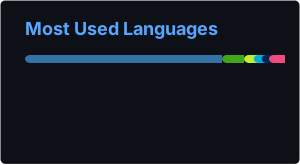
Tech stack







- 🚀 Pushed to coff33ninja/go-mcp-computer-use
- 🚀 Pushed to coff33ninja/DJ-TECH
- 🚀 Pushed to coff33ninja/go-mcp-computer-use
- 🚀 Pushed to coff33ninja/DJ-TECH
- 🚀 Pushed to coff33ninja/go-mcp-computer-use
- 🚀 Pushed to coff33ninja/DJ-TECH
- 🚀 Pushed to coff33ninja/go-mcp-computer-use
- 🚀 Pushed to coff33ninja/DJ-TECH
- 🇿🇦 Location: Saldanha, Western Cape, South Africa
- 💼 Journey: HLT Computers → Batch scripts → Python GUI → AI & Automation → Mobile Apps
- 🔋 DIY: Home automation with solar, battery, and LED matrices
- 📺 Interests: Manga/anime, AI experimentation, building stuff I don't want to pay for as a service
- VRM / 3D — virtual companions that show up as more than a chat box
- Mobile dev — Android, already shipping in My_Cam
- OS internals — because NO_OS isn't going to write itself