Open-source 3D CAD algorithms for the web - MIT licensed. This monorepo contains all Bitbybit NPM packages plus example applications.
Source code in packages/, languages/, and examples/ is MIT licensed. Documentation text in docs/ is CC BY 4.0. Logos, trademarks, and media assets are not open-source — see CONTENT-LICENSE.md for details.
Essential introduction by Matas

Scaffold a fully-configured 3D CAD project in seconds:
npx @bitbybit-dev/create-app my-projectThe CLI first asks you to pick an app type:
- Frontend - Browser-based 3D/CAD app. Choose a game engine (Three.js, Babylon.js, or PlayCanvas) and OCCT architecture (32-bit, 64-bit, or 64-bit MT). You get a Vite + TypeScript project with all three CAD kernels (OCCT, JSCAD, Manifold) pre-configured.
- CAD Cloud - Full-stack project with server-side CAD via our CAD Cloud API. Choose a backend template (Hono + SDK, Hono + REST, Node.js + SDK, Node.js + REST, or .NET + REST). You get a React + Three.js frontend that proxies requests through your backend - your API key never leaves the server.
cd my-project
npm install
npm run dev⭐ Subscribe - Silver or Gold plan | Get API Key for CAD Cloud
Check out 3D Bits app for Shopify - interactive 3D product configurators for e-commerce.
Your subscription directly funds continued open-source development of these packages.
| Package | Description |
|---|---|
| @bitbybit-dev/babylonjs | BabylonJS engine integration for drawing CAD geometry |
| @bitbybit-dev/threejs | Three.js engine integration for drawing CAD geometry |
| @bitbybit-dev/playcanvas | PlayCanvas engine integration for drawing CAD geometry |
| @bitbybit-dev/core | Core assembly layer combining all CAD kernels |
| @bitbybit-dev/occt | OpenCascade CAD kernel (works in Node.js & browser) |
| @bitbybit-dev/occt-worker | OCCT via WebWorker (non-blocking, browser only) |
| @bitbybit-dev/manifold | Manifold fast mesh booleans (works in Node.js & browser) |
| @bitbybit-dev/manifold-worker | Manifold via WebWorker (non-blocking, browser only) |
| @bitbybit-dev/jscad | JSCAD solid modeling (works in Node.js & browser) |
| @bitbybit-dev/jscad-worker | JSCAD via WebWorker (non-blocking, browser only) |
| @bitbybit-dev/base | Base math/vector/matrix algorithms used by all packages |
| @bitbybit-dev/create-app | CLI tool to scaffold 3D/CAD projects |
| @bitbybit-dev/cad-cloud-sdk | TypeScript SDK for the CAD Cloud API |

All examples live in the examples/ directory of this monorepo:
| App | Engine | Source Code |
|---|---|---|
| Hex Shell | Three.js | GitHub |
| Cup Configurator | Three.js | GitHub |
| Hex House Concept | Three.js | GitHub |
| Starter Template | BabylonJS | GitHub |
| Starter Template | Three.js | GitHub |
| Starter Template | PlayCanvas | GitHub |
| Terrace Furniture | BabylonJS | Closed source |
Beyond these open-source NPM packages, the Bitbybit platform includes:
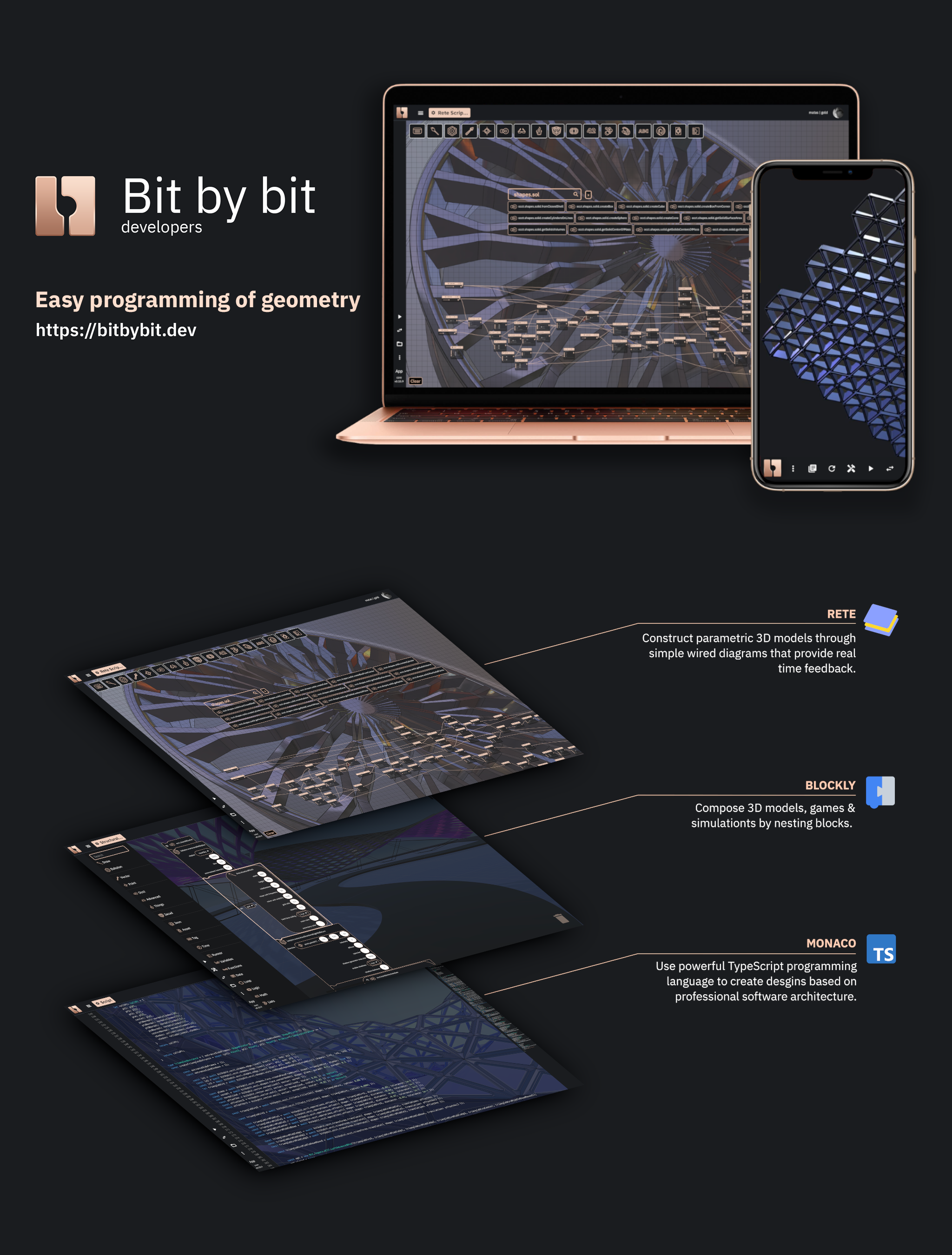
- Visual Programming Editors - Rete & Blockly drag-and-drop 3D modeling, plus a Monaco TypeScript editor with full IntelliSense
- CAD Cloud API - Build full pipelines that compose all Bitbybit algorithms, where each step can reference outputs of previous steps. Supports parametric model generation, STEP-to-glTF conversion, and complex CAD workflows via HTTP. TypeScript SDK available.
- Bitbybit Studio - A growing visual dashboard where API Key users can generate models, convert files, build pipelines with a GUI, inspect tasks, and preview 3D results
- 3D Bits for Shopify - Interactive 3D product configurators for your Shopify store. Documentation.
- Script Runners - Execute Rete/Blockly/TypeScript scripts directly on your website without writing code
- AI-Assisted Development - Context files for GitHub Copilot, Claude, and ChatGPT. MCP integration available.
- Business & Enterprise - We help businesses and enterprises develop custom applications and spin up optimized CAD tenant workflows on our managed servers
If you're interested in contributing please check our Contribution guidelines & code of conduct
For first-time developers working on this project, follow these steps to set up the development environment and run all unit tests:
- Node.js (v16 or higher recommended)
- npm (comes with Node.js)
- Git
-
Clone the repository:
git clone https://github.com/bitbybit-dev/bitbybit.git cd bitbybit -
Install pnpm 11 once (the packages are one pnpm workspace; the
packageManagerfield pins the exact version):npm install -g pnpm@11
-
Run the complete first-time setup (this will install all dependencies, build all packages, and run all unit tests):
npm run first-time-setup
npm run first-time-setup- Complete setup for new developers (installs dependencies, builds packages, runs tests)npm run setup- Install dependencies and build all packages without running testsnpm run setup-and-test- Install dependencies, build packages, and run all unit testsnpm run test- Run all unit tests (requires packages to be built first)npm run test:report- One report over every suite's last results (files, tests, failures, skipped, coverage); written to the job summary on GitHub Actionsnpm run ci-packages- Install dependencies for all packages (onepnpm install --frozen-lockfilefor the workspace)npm run refresh-lockfile- Rewritepnpm-lock.yamlafter a dependency change, without touching node_modulesnpm run build-packages- Build and stage all packages (tsc -bover generated project references, run by pnpm in dependency order)npm run rebuild-all-packages- Empty every dist, then build all packagesnpm run gen:references- Regenerate the TypeScript project references from the package manifests after a dependency changenpm run check:references- Fail if the project references and the manifests disagree (the first step ofnpm test)npm run lint- ESLint over the repository, green by the committed suppression baseline; a new finding failsnpm run typecheck:strict- Every package's strict typecheck against its committed baseline (new errors only)npm run check:strict-baselines- Fail if any package's strict baseline differs from what its code producesnpm run api:check- Fail if the public API surface ofbaseorcorediffers from the committed report in itsetc/foldernpm run api:update- Regenerate those API reports after a deliberate change to the public surfacenpm run check:tarballs- Pack every built package and install the tarballs together into an empty project, as a user would
You can also run tests for individual packages:
npm run test-base- Test base packagenpm run test-occt- Test OCCT packagenpm run test-core- Test core packagenpm run test-jscad- Test JSCAD packagenpm run test-manifold- Test Manifold packagenpm run test-threejs- Test ThreeJS packagenpm run test-playcanvas- Test PlayCanvas packagenpm run test-babylonjs- Test BabylonJS package
If you encounter issues during setup:
- Make sure you have Node.js v16+ installed
- Clear npm cache:
npm cache clean --force - Delete
node_modulesat the root and underpackages/dev/*, then runpnpm install
BabylonJS, ThreeJS, PlayCanvas, OpenCascade, Manifold, JSCAD, and Verbnurbs - the last of these deprecated, no longer maintained upstream, and removed in the next major version.