



Created by Bilal Malik
Follow on Github bilalmlkdev
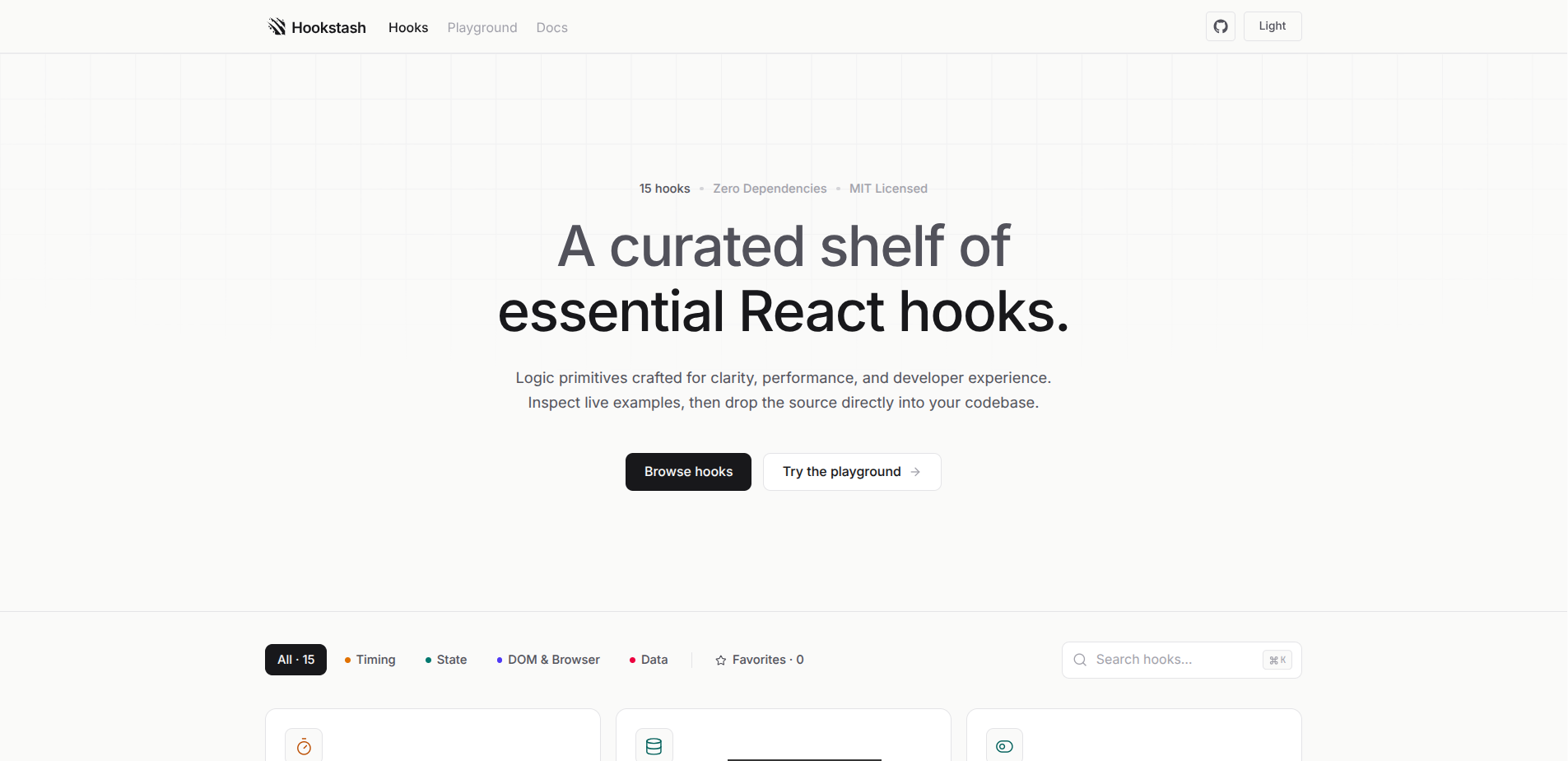
Almost every React project ends up with its own half-remembered useDebounce, copied from a five-year-old Stack Overflow answer, missing the cleanup that stops it leaking a timer. Or a useLocalStorage that doesn't handle JSON.parse throwing on bad data. These aren't hard hooks to write correctly - they're just tedious enough that most people either get them slightly wrong or reach for a whole npm package to get one function.
Hookstash is the middle ground: 15 hooks that are already written correctly, each one a single dependency-free TypeScript file. No package to install, no version to track, no bundle weight for the 14 hooks you're not using. Open the one you need, watch it actually work in a live demo, copy the source, done.
- You stop rewriting the same utility hooks. Timing (
useDebounce,useThrottle,useInterval), state (useToggle,usePrevious,useLocalStorage), DOM/browser (useClickOutside,useMediaQuery,useOnScreen,useWindowSize,useHover,useKeyPress,useEventListener), and data (useFetch,useCopyToClipboard) - the ones that come up in nearly every project, already handling the edge cases you'd otherwise discover the hard way. - You see it work before you commit to it. Every hook has a live demo next to its source - not a docstring claiming what it does, an actual running instance of it.
- You can test your own usage before copying anything. The built-in Playground compiles React code client-side with Babel, so you can write a component against any hook in the library and see it render immediately - nothing round-trips to a server.
- You never lose a hook you've already found. Favorites are starred and saved through the library's own
useLocalStoragehook - which is a nice bit of the library using itself. - Finding a hook doesn't mean scrolling.
⌘K/Ctrl+K//opens a command palette that searches and jumps straight to any hook. - Copying is copying, not adopting a dependency. Every hook is one file with no imports beyond React itself - paste it in, and it's now just part of your codebase, not a package you owe a version bump.
The registry is the single source of truth. src/lib/registry.tsx wires each hook's real source - pulled in via Vite's ?raw import, so the displayed code is the actual file, never a hand-copied string that can drift out of sync - together with its demo component. Add a hook to the registry and it's simultaneously the gallery card, the detail page, and the search index.
The Playground is a real compiler, not a fake sandbox. @babel/standalone compiles whatever you type client-side and renders it against the actual hook implementations from the library - so testing a hook in the Playground and copying it into your project means testing the same code, not an approximation of it.
Categorization is metadata, not structure. src/lib/meta.ts maps each hook to a category and icon, which is what lets the gallery filter by Timing/State/DOM & Browser/Data without the hooks themselves needing to know anything about categories.
src
├── hooks                    the actual library - one file per hook
│   ├── useDebounce.ts, useThrottle.ts, useInterval.ts
│   ├── useToggle.ts, useLocalStorage.ts, usePrevious.ts
│   ├── useClickOutside.ts, useMediaQuery.ts, useOnScreen.ts
│   ├── useWindowSize.ts, useHover.ts, useKeyPress.ts, useEventListener.ts
│   └── useCopyToClipboard.ts, useFetch.ts
├── components
│   ├── demos.tsx              live demo component per hook
│   ├── Gallery.tsx             hero, filters, search, card grid
│   ├── HookDetail.tsx           source/demo detail page
│   ├── TopNav.tsx                logo, nav, search, theme, GitHub
│   ├── CommandPalette.tsx         ⌘K search overlay
│   ├── Playground.tsx              live in-browser editor + preview
│   ├── Docs.tsx                     documentation page with sticky TOC
│   ├── CodeBlock.tsx, CopyButton.tsx
│   └── ThemeToggle.tsx, Faq.tsx, Footer.tsx, TopLoader.tsx
└── lib
    ├── registry.tsx              wires each hook's source + demo together
    ├── meta.ts                    category + icon per hook
    ├── useTheme.ts
    └── docsContent.ts
- Add the implementation to
src/hooks/useYourHook.ts. - Add a small live demo component to
src/components/demos.tsx. - Register both in
src/lib/registry.tsx, and give it a category/icon insrc/lib/meta.ts. - If it's genuinely useful inside the Playground sandbox, add it to the
hookNamesmap insrc/components/Playground.tsx.
That's the whole process - once registered, it shows up in the gallery, filters, search, and command palette automatically. No page needs manual wiring beyond the registry entry.
- No dependency lock-in. Every hook is copy-paste, not
npm install- there's nothing to version, update, or eventually deprecate on you. - Show, don't just document. Every hook ships with a working demo, not a code sample you have to trust blindly.
- Quiet UI. No gradients, no neon, no unnecessary motion - hairline borders, one muted accent color, and generous whitespace, so the code stays the focus.
| Layer | Choice |
|---|---|
| Framework | React 19 |
| Language | TypeScript |
| Build tool | Vite 8 |
| Styling | Tailwind CSS v4 |
| Icons | lucide-react |
| In-browser compiler (Playground) | @babel/standalone |
git clone https://github.com/bilalmlkdev/hookstash.git
cd hookstash
npm install
npm run dev
For a production build:
npm run build
npm run previewPull requests are welcome. Keep new hooks dependency-free, include a working demo, and match the existing shape - a short docblock, clean TypeScript, and proper cleanup inside any useEffect (check any file in src/hooks for the expected pattern).
Deployed on Vercel - push to your repo and import it in the Vercel dashboard, no config needed, it's a standard Vite app.
If Hookstash saved you from writing another useDebounce from scratch, a ⭐ on GitHub helps the next person find it before they do too.
This project is licensed under the MIT License.
MIT License

Copyright (c) 2026 Bilal Malik

Permission is hereby granted, free of charge, to any person obtaining a copy
of this software and associated documentation files (the "Software"), to deal
in the Software without restriction, including without limitation the rights
to use, copy, modify, merge, publish, distribute, sublicense, and/or sell
copies of the Software, and to permit persons to whom the Software is
furnished to do so, subject to the following conditions:

The above copyright notice and this permission notice shall be included in all
copies or substantial portions of the Software.

THE SOFTWARE IS PROVIDED "AS IS", WITHOUT WARRANTY OF ANY KIND, EXPRESS OR
IMPLIED, INCLUDING BUT NOT LIMITED TO THE WARRANTIES OF MERCHANTABILITY,
FITNESS FOR A PARTICULAR PURPOSE AND NONINFRINGEMENT. IN NO EVENT SHALL THE
AUTHORS OR COPYRIGHT HOLDERS BE LIABLE FOR ANY CLAIM, DAMAGES OR OTHER
LIABILITY, WHETHER IN AN ACTION OF CONTRACT, TORT OR OTHERWISE, ARISING FROM
OUT OF OR IN CONNECTION WITH THE SOFTWARE OR THE USE OR OTHER DEALINGS IN THE
SOFTWARE.