A lightweight Verlet-integration based bone physics system for anime-style character hair in Unity.
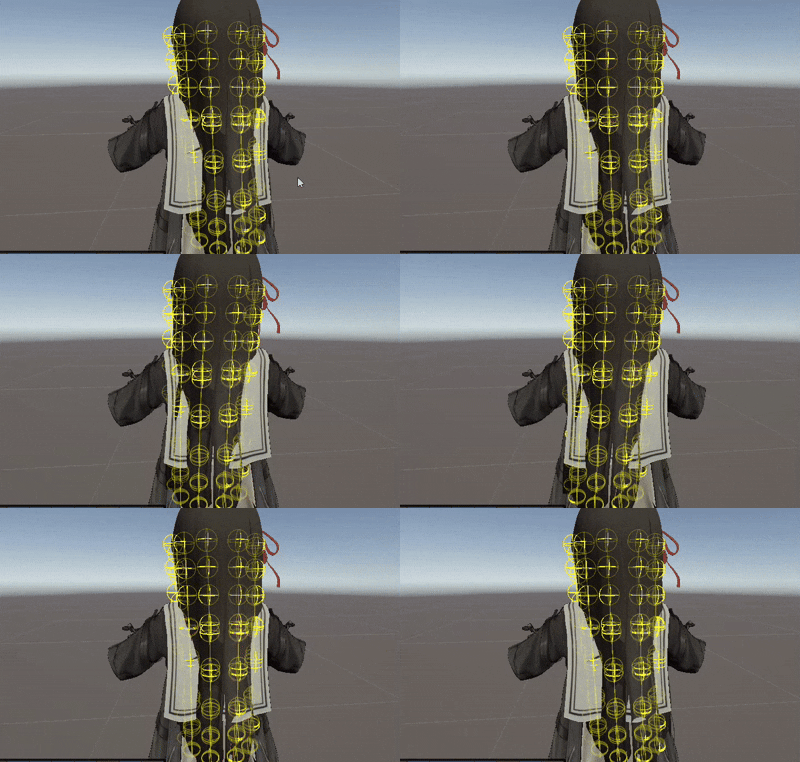
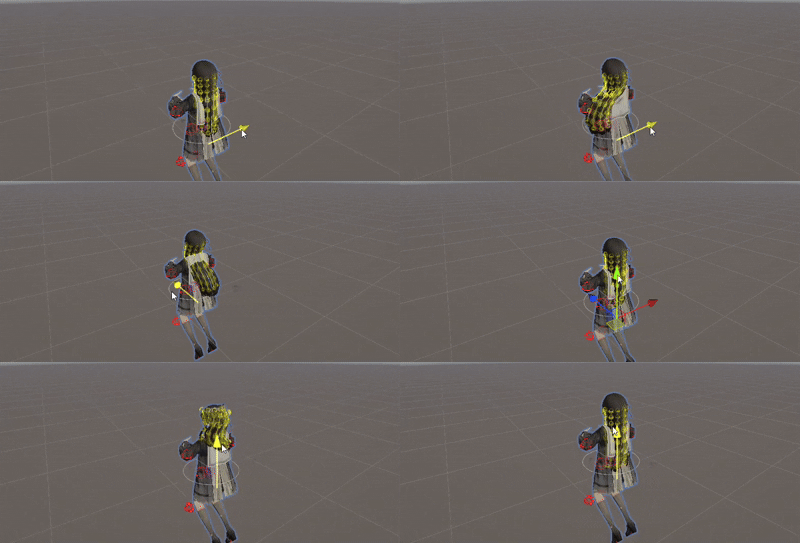


A simple, dependency-free hair/bone physics system built on Verlet integration and Position Based Dynamics (PBD) distance constraints — inspired by the approach used in Dynamic Bone and Magica Cloth, written from scratch for learning purposes.
- Verlet-integration based physics simulation (no Unity
Rigidbody/Physicsdependency) - Distance-constraint solver to keep bone chain length rigid
- Gimbal-lock-free rotation using
Quaternion.FromToRotationdelta (noTransform.LookAtissues) - Branching bone chains supported
- Per-chain tunable parameters: damping, stiffness, gravity, external force
- Centralized
HairBoneManagerfor batched updates across multiple hair chains - Editor gizmo visualization for debugging bone chains in Scene view
- Open Window → Package Manager
- Click + → Add package by name
- Paste:
com.lovegraphics.dynamichairbone
- Rig your hair as a bone chain in Blender/Maya (root → tip), import as FBX into Unity.
- Add an empty GameObject to your scene, attach
HairBoneManagerto it. - In the Inspector, drag the root Transform of each hair strand into the
Root Boneslist. - Press Play — hair chains are auto-initialized and simulated in
LateUpdate. - Select the hair root in Scene view, enable
Draw Gizmoson itsHairChaincomponent to visualize the bone chain.
| Parameter | Range | Description |
|---|---|---|
Damping |
0.05 – 0.3 | Velocity decay per frame. Lower = more jiggle, higher = stiffer stop |
Stiffness |
0.1 – 0.6 | How strongly bones are pulled back toward the animated pose |
Gravity |
Vector3 | Constant force applied every frame (chain-local, not Physics.gravity) |
Force |
Vector3 | External force slot for wind/gameplay effects, set at runtime |
Constraint Iterations |
2 – 6 | Solver iterations for the distance constraint (higher = more rigid) |
Each frame, in LateUpdate (after Animator has posed the skeleton):
- Capture target — read each bone's animated position as
targetPosition - Verlet integration — infer velocity from
currentPosition - previousPosition, apply damping, gravity, and external force - Pull toward animation — blend the physics result back toward
targetPositionusingstiffness - Distance constraint — iteratively re-project each bone to maintain its original bone length from its parent (root → tip order)
- Apply to transform — rotate the parent bone using a rest-pose-relative
Quaternion.FromToRotationdelta (avoidsLookAtgimbal lock), then set the child's position
Root bones always follow the animated pose exactly (stiffness doesn't apply to them) — only child bones simulate physics.
- Sphere/Capsule collision against head & shoulder colliders
- Editor tool to auto-detect bone chains from a selected root
- Job System / Burst-compatible version for large hair counts
- Per-bone stiffness gradient (root stiffer than tip)
This project is licensed under the MIT License — see LICENSE for details.
Built as a learning project to understand Verlet integration and Position Based Dynamics, inspired by publicly documented approaches used in Unity Chan Spring Bone, Dynamic Bone, and Magica Cloth.