
🌐 Company Site - Here
🤗 Hugging Face - Here
🛟 Help Center - Here
🐳 Docker Hub - Here
Ready in ~15 minutes (after runtime download): Drop Android AAR + iOS frameworks → Run the example on a phone Jump: Quick start · Get the runtimes · Run the demo · Setup · About SDK · Troubleshooting
Customer repo: FaceRecognition-React-Native · Help Center: doc.faceplugin.com
Use this for the example app (check each box in order):
- Clone
https://github.com/Faceplugin-ltd/FaceRecognition-React-Nativeand runyarn(root) +yarn(example/) - Download runtimes from Google Drive
- Android: copy
facerecognitionsdk.aar→example/android/libfacesdk/ - iOS: unzip frameworks →
ios/Frameworks/(facerecognitionsdk,FaceRecognitionEngine,onnxruntime) - iOS:
cd example && bundle install && cd ios && pod install - Run the example on a physical phone:
- Android:
cd example && yarn android - iOS (macOS):
cd example && yarn ios --device
- Android:
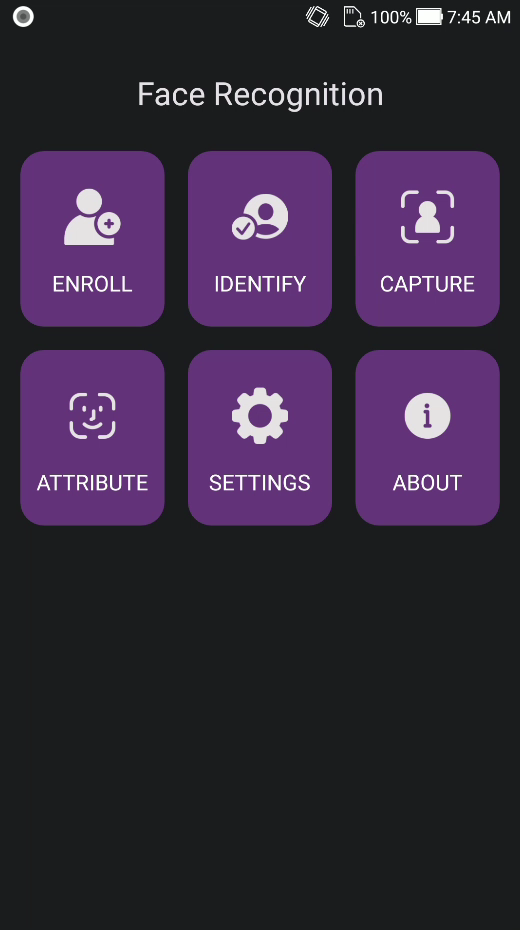
- Home screen status bar shows Ready → Enroll / Identify / Capture / Attribute
Integrating into your own app? Skip to Setup on your own app — Android AAR path is different (
node_modules/.../android/libs/). Full API and layer guide: doc.faceplugin.com.
FacePlugin Face Recognition SDK for React Native is a fully on-device biometric library for Android and iOS. Enroll faces, identify in 1:N with VideoWorker, capture with an oval coach, and read attributes with 2D liveness — all on the phone. The npm package face-recognition-sdk wraps the same native engines as our FaceRecognitionSDK Android and iOS apps.
All processing stays on the device. No biometric data is sent to FacePlugin cloud — built for KYC, eKYC, and cross-platform mobile onboarding.
This repository contains:
| Folder | Purpose |
|---|---|
| Repository root | face-recognition-sdk — the React Native library you install in your app |
example/ |
Full demo (Enroll, Identify, Capture, Attribute, Settings, About) |
Native binaries are not on GitHub (too large). Download them from Google Drive (links below) and copy into the paths shown.
Expo Go is not supported. You need a development build (bare React Native or Expo prebuild) because this package includes native Android / iOS code.
| Demo tile | What it does |
|---|---|
| Enroll | Enroll a person from a gallery photo (exactly one face) into the on-device database |
| Identify | Live 1:N camera match (VideoWorker) with 2D liveness / anti-spoofing |
| Capture | Oval coach capture → still with attributes → optional enroll |
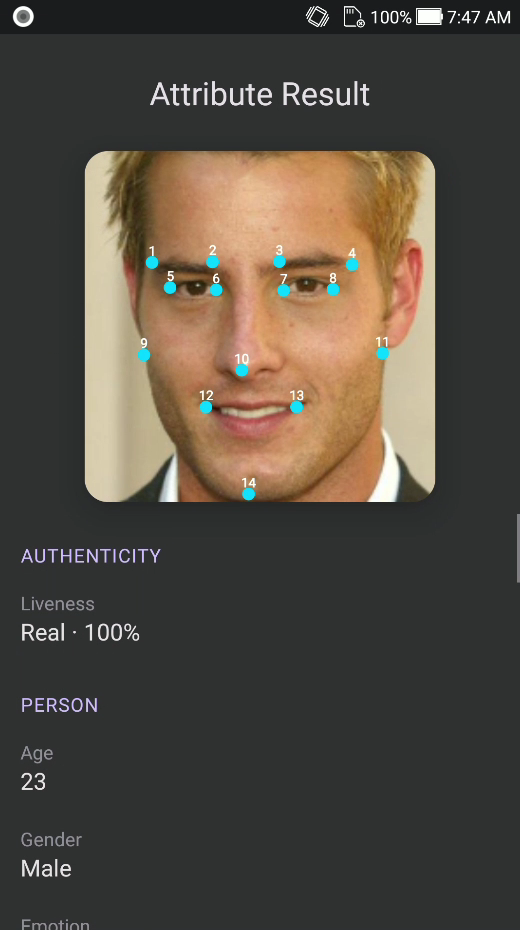
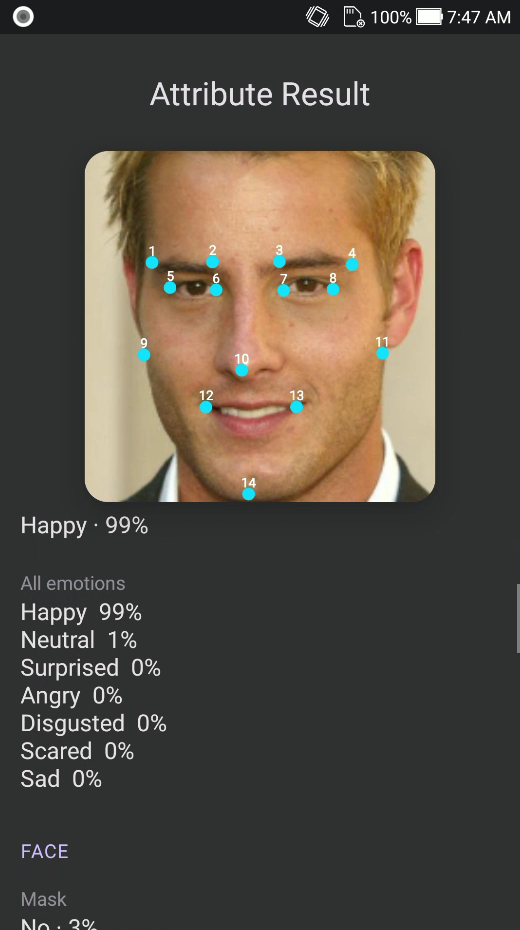
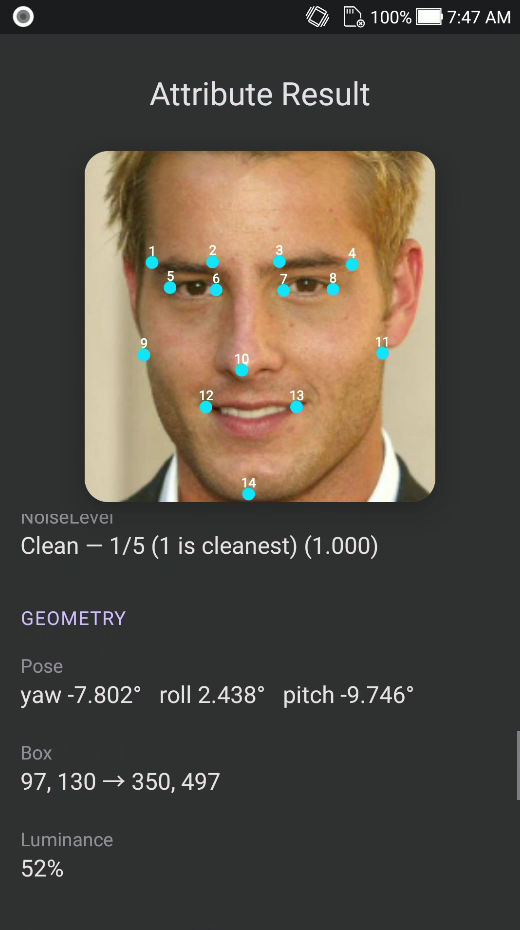
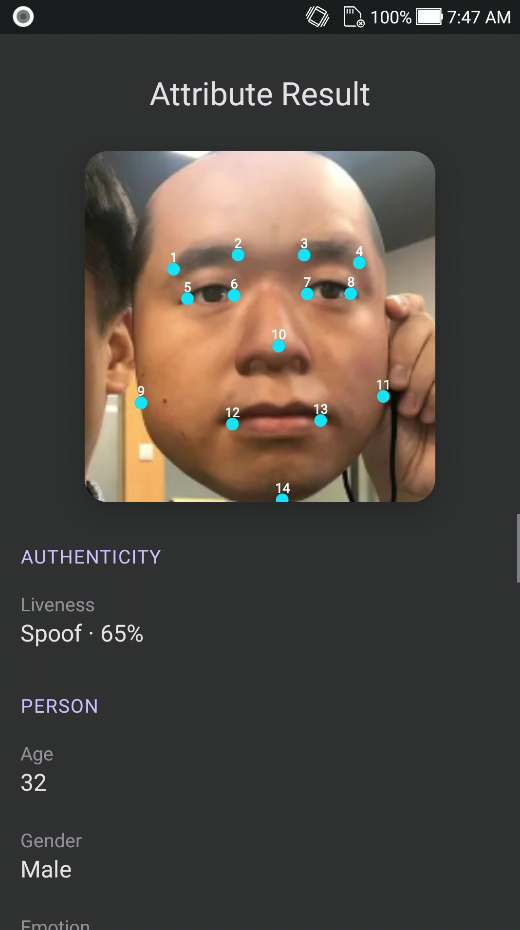
| Attribute | Gallery analysis: landmarks, liveness, pose, quality, age, gender, emotion |
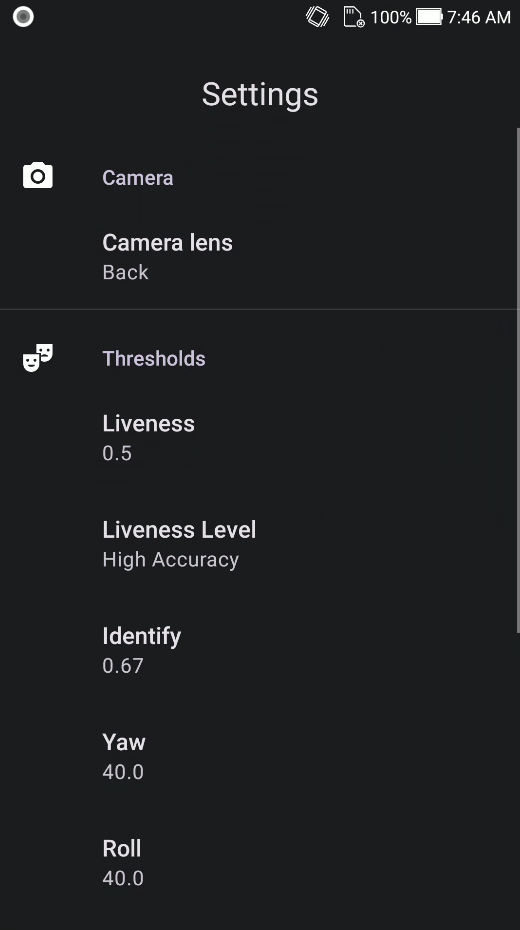
| Settings | Camera lens, identify / liveness / pose / eye-close thresholds, clear DB |
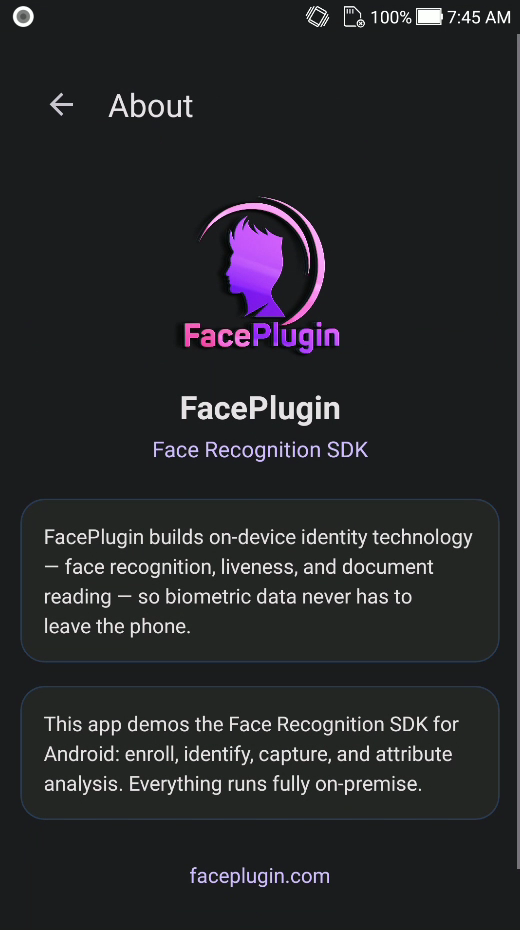
| About | FacePlugin Face Recognition SDK — on-device identity |
| Platform | Repository |
|---|---|
| Android (Recognition) | FaceRecognition-Android |
| iOS (Recognition) | FaceRecognition-iOS |
| React Native (Recognition) | FaceRecognition-React-Native (this repo) |
| Flutter (Recognition) | FaceRecognition-Flutter |
| Ionic Capacitor (Recognition) | FaceRecognition-Ionic-Capacitor |
| Ionic Cordova (Recognition) | FaceRecognition-Ionic-Cordova |
| Windows (Recognition) | FaceRecognition-Windows |
| Linux / Docker (Recognition) | FaceRecognition-Docker |
| Android (Liveness) | FaceLivenessDetection-Android |
| iOS (Liveness) | FaceLivenessDetection-iOS |
| Windows (Liveness) | FaceLivenessDetection-Windows |
| Linux / Docker (Liveness) | FaceLivenessDetection-Docker |
| Step | What you need |
|---|---|
| 1 | Node.js 18+, Yarn, React Native environment (setup guide) |
| 2 | Physical device recommended (camera / liveness; emulator is limited) |
| 3 | Android facerecognitionsdk.aar and iOS frameworks — see Get the runtimes |
| 4 | Demo licenses are in example/src/license.ts (bound to com.faceplugin.facerecognitionsdk). Request a new key only if you change applicationId / bundle id — see SDK License |
You can run the example app as-is after placing the runtimes. Home tiles unlock when the status bar shows Ready.
| Platform | Requirement |
|---|---|
| React Native | 0.74.x (example ships 0.74.5) |
| Android | minSdk 24, physical device recommended |
| iOS | iOS 13+, A12+ recommended, physical device |
| Node | 18+ |
Same Google Drive packs as FaceRecognitionSDK Android / iOS (includes frc.fpk models inside the runtime).
| File | Example path | Customer path (your app) |
|---|---|---|
facerecognitionsdk.aar |
example/android/libfacesdk/facerecognitionsdk.aar |
node_modules/face-recognition-sdk/android/libs/facerecognitionsdk.aar |
Unzip into ios/Frameworks/:
| Archive | Place at |
|---|---|
facerecognitionsdk.framework.zip |
ios/Frameworks/facerecognitionsdk.framework |
FaceRecognitionEngine.framework.zip |
ios/Frameworks/FaceRecognitionEngine.framework |
onnxruntime.framework.zip |
ios/Frameworks/onnxruntime.framework |
Then run pod install in example/ios.
Person enrollment data is local (
AsyncStoragein the example). Drive holds the native runtime only, not the enrolled person gallery.
git clone https://github.com/Faceplugin-ltd/FaceRecognition-React-Native.git
cd FaceRecognition-React-Native
yarn
cd example && yarn
# place AAR + frameworks (see above)
cd ios && pod install && cd ..
yarn android          # Android
# or, on macOS:
yarn ios --device     # iOS
Keep demo ids for the included license: Android applicationId and iOS bundle id are both com.faceplugin.facerecognitionsdk.
- Wait until the home status bar shows Ready
- ENROLL — pick a gallery photo with exactly one face to save an on-device template
- IDENTIFY — live camera 1:N match with 2D liveness / anti-spoofing → result
- CAPTURE — oval coach capture → optional enroll
- ATTRIBUTE — gallery → landmarks, liveness, pose, quality, age, gender, emotion
- SETTINGS — thresholds, clear persons
- ABOUT
| Home | Identify | Capture |
|---|---|---|
|
|
|
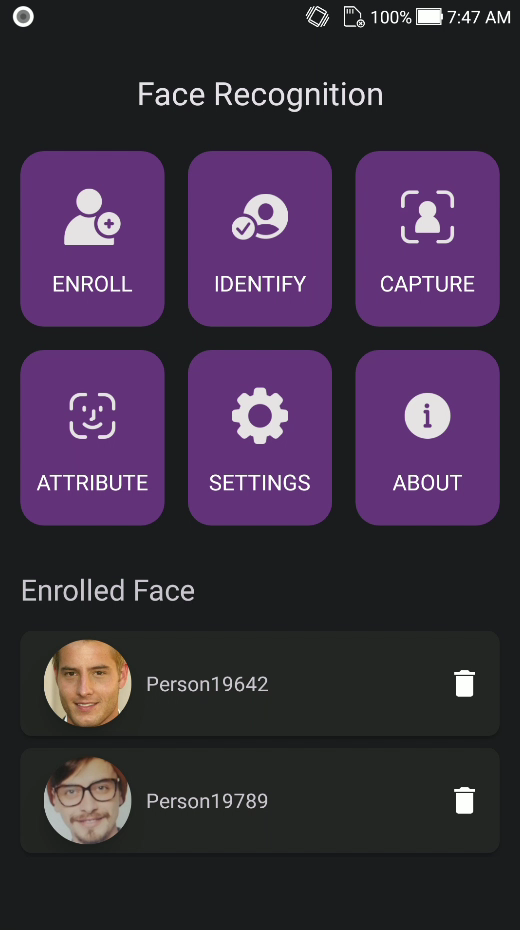
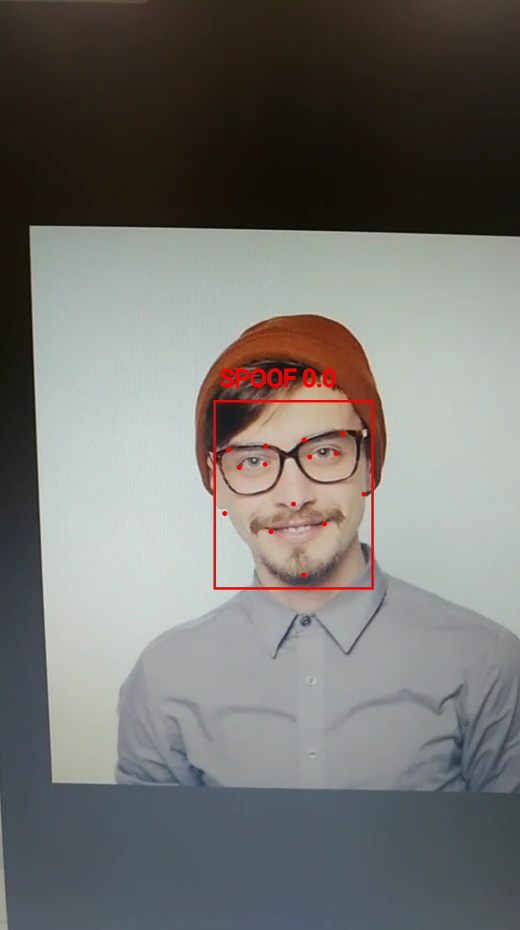
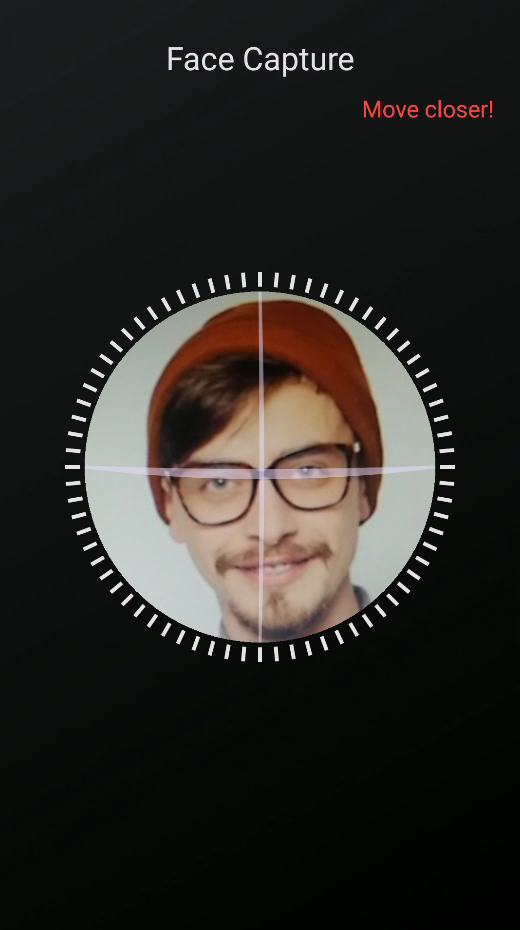
| Capture result | Attribute | Attribute (emotion) |
|---|---|---|
|
|
|
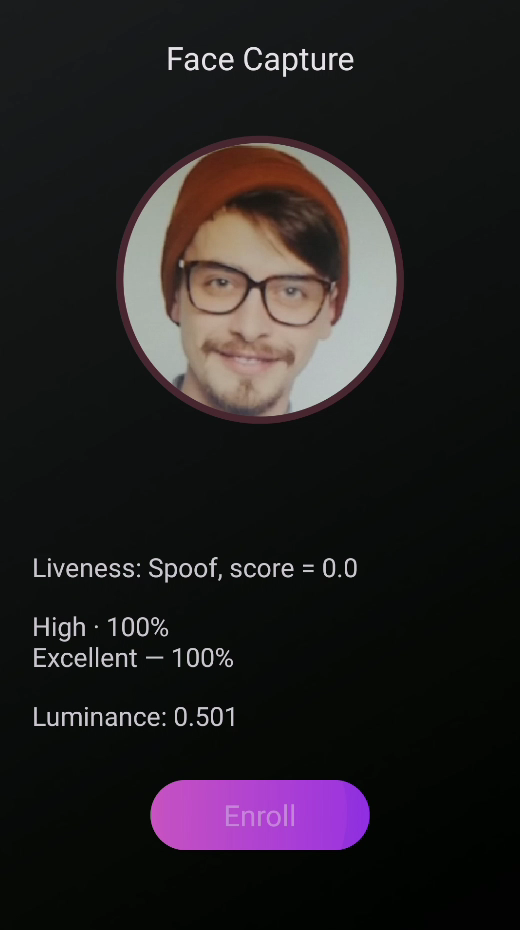
| Attribute (quality) | Settings | About |
|---|---|---|
|
|
|
| Home (tiles) | Attribute (liveness) |
|---|---|
|
|
Licenses are offline and bound to your applicationId / bundle identifier.
The sample app already includes a valid key for com.faceplugin.facerecognitionsdk. You only need a new key if you use a different id.
The code below shows how to use the license:
FaceRecognition-React-Native/example/src/license.ts
Lines 11 to 18 in 2fbb291
FaceRecognition-React-Native/example/src/SdkContext.tsx
Lines 60 to 75 in 2fbb291
Please contact us to get a license for your own app.
yarn add github:Faceplugin-ltd/FaceRecognition-React-Native- Copy
facerecognitionsdk.aarintonode_modules/face-recognition-sdk/android/libs/ - Copy the three iOS frameworks into
node_modules/face-recognition-sdk/ios/Frameworks/andpod install - Activate + init before calling detect / VideoWorker APIs
- For Capture UI (
FaceCapture), also install peers:react-native-vision-camera,react-native-svg(and camera permissions)
import {
  setActivation,
  init,
  faceDetection,
  templateExtraction,
  SDK_SUCCESS,
} from 'face-recognition-sdk';

const code = await setActivation('FP1.…');
if (code === SDK_SUCCESS) {
  await init();
}
Full API: doc.faceplugin.com.
Fully on-device face recognition for React Native — no cloud round-trip. One TypeScript API for Android and iOS; results use the same FaceBox shape on both platforms (Android is normalized for you). All methods return Promises. Status 0 (SDK_SUCCESS) means activate / init succeeded.
| You want to… | Use |
|---|---|
| Start the engine | setActivation → init |
| Find a face / attributes | faceDetection (allAttributes: true) |
| Enroll / 1:1 / 1:N | templateExtraction + similarity |
| Live 1:N from camera | startVideoWorker + ingestLiveCameraFrame |
| Ready-made oval UI | FaceCapture from face-recognition-sdk/capture |
const faces = await faceDetection(uri, { allAttributes: true, check_liveness: true });
const probe = await templateExtraction(uri, faces[0]);
const score = await similarity(probe, enrolledTemplateB64);
Live frames: pass ingestLiveCameraFrame(photo, { frontCamera: true }) so Android and iOS share one orientation policy.
Optional Capture UI (peers: react-native-vision-camera + react-native-svg):
import { FaceCapture } from 'face-recognition-sdk/capture';

<FaceCapture
  settings={{ camera_lens: 'front', liveness_threshold: 0.5, liveness_level: 0 }}
  onCancel={() => navigation.goBack()}
  onCaptured={(result) => { /* result.uri, result.faceBox, result.cropB64 */ }}
/>
FaceBox includes x1,y1,x2,y2, liveness / livenessLabel, age / gender / emotion, glasses / mask, attributes, and landmarks. Optional: normalizeFaceBox if you parse raw bridge JSON yourself.
| Code | Meaning |
|---|---|
| 0 | Success |
| 1 | License invalid |
| 2 | License expired |
| 3 | Not activated |
| 4 | Init failed |
| Method | Role |
|---|---|
getMachineCode / setActivation / init / deinit |
License + engine lifecycle |
faceDetection / detect |
Faces + attributes |
templateExtraction / similarity / cropFace |
Enroll / match / thumbnail |
startVideoWorker / syncVideoWorkerDatabase / ingestLiveCameraFrame / addVideoWorkerListener / stopVideoWorker |
Live 1:N |
FaceCapture (face-recognition-sdk/capture) |
Oval capture UI (needs VisionCamera + SVG) |
lastLicenseError |
Human-readable license failure |

