A feature-rich C++ code editor built with Qt6 for Windows
Write, compile, and run C/C++ code — all in one lightweight desktop app.





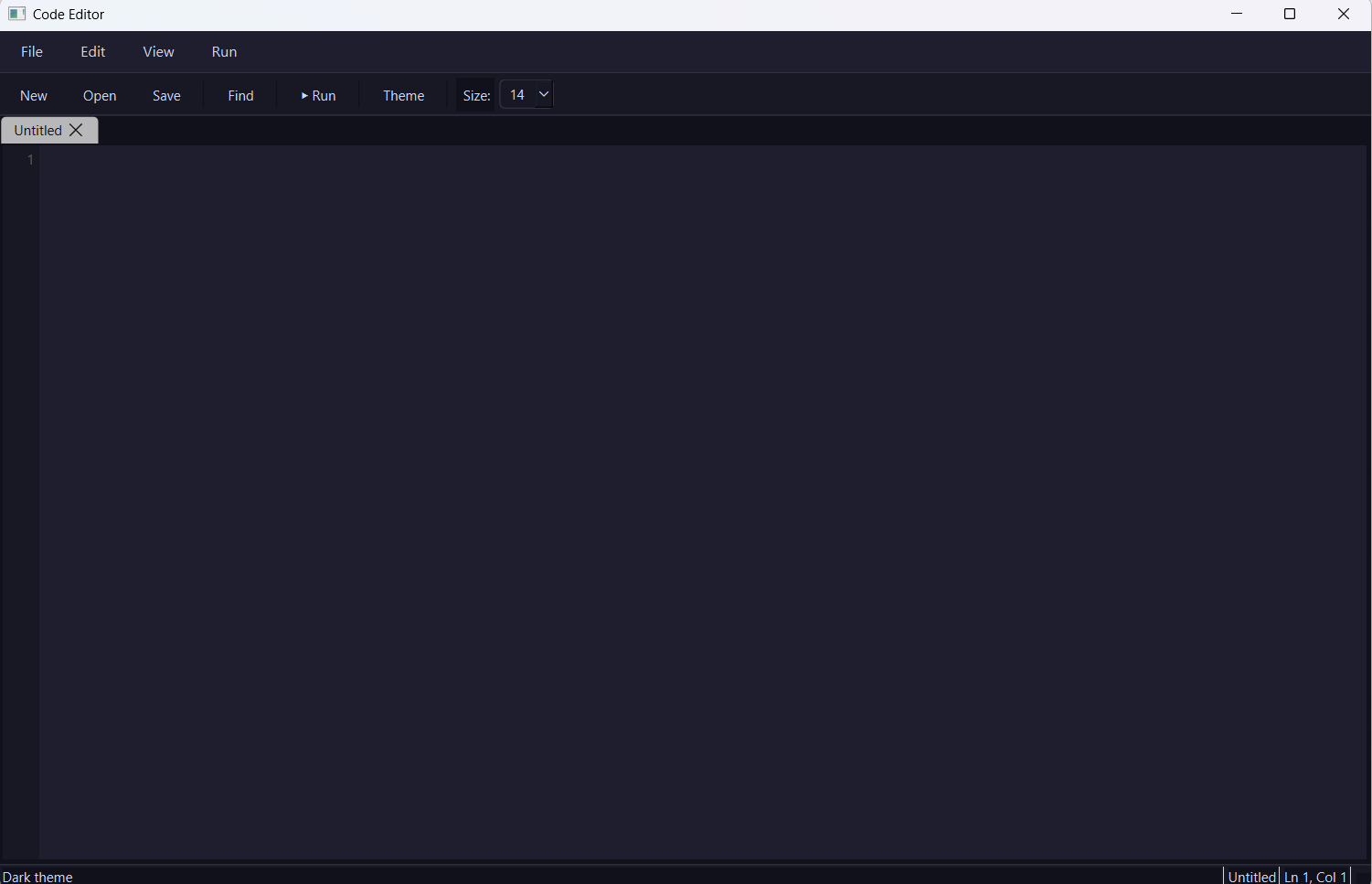
| Feature | Description |
|---|---|
| 🎨 Syntax Highlighting | Full C/C++ syntax highlighting for better readability |
| 🔢 Line Numbers | Line numbering for easy navigation and debugging |
| 📑 Multiple Tabs | Work on several files at once in a tabbed interface |
| 🌗 Dark / Light Theme | Switch themes based on your preference |
| 🔍 Find and Replace | Quickly locate and update code |
| ⚙️ Compile and Run | Build and execute C/C++ code directly from the editor |
| 💾 Auto Save | Never lose your work |
| 🔠 Font Size Control | Adjust editor font size on the fly |
- C++17
- Qt6 (Widgets, GUI)
- MinGW
- Qt6 installed (this project uses
6.11.1) - MinGW compiler toolchain
- CMake
cmake .. -G "MinGW Makefiles" -DCMAKE_PREFIX_PATH=C:/Qt/6.11.1/mingw_64
mingw32-make -j4
Then run the generated executable from the build directory.
- Launch CodeEditor.exe
- Open or create a
.c/.cppfile - Write your code — syntax highlighting and line numbers work automatically
- Press Compile & Run to build and execute your program
- Use Find & Replace (
Ctrl+F) to quickly edit code - Switch between Dark/Light theme from the settings menu
- Add support for more languages
- Integrated debugger
- Custom keybindings
- Plugin support
(Feel free to edit this section based on your actual plans!)
Contributions are welcome!
- Fork the project
- Create your feature branch (
git checkout -b feature/AmazingFeature) - Commit your changes (
git commit -m 'Add some AmazingFeature') - Push to the branch (
git push origin feature/AmazingFeature) - Open a Pull Request
Snehal Thombare

This project is licensed under the MIT License — see the LICENSE file for details.
⭐ If you find this project useful, consider giving it a star!